
Photoshop Tips

5 Tips For Getting in Spring Family Portraits (Share With Your Customers)
Tips For Getting Ready For Your Spring Family Portraits I’ll wager a bet that most of us are eagerly awaiting Spring. This winter has certainly been an extreme one! Between the subzero temperatures, snow blizzards and being cooped up indoors, we are ready for sounds of birds chirping, warmer temperatures and bursts of color…

Proof That Newborn Photoshop Actions Are Not Just For Editing Babies
One question we get asked often is “Can I use Newborn Necessities Photoshop Actions on other images?” The answer is “YES, it can be used on any images.” The follow up question is often, “Why did you name it Newborn Necessities and market the actions for editing baby images?” Great question. When we started working…
Quick Edits to Add Artistic Flare to Your Images
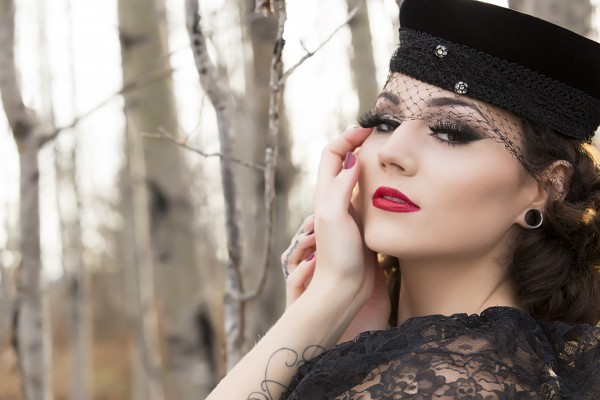
Sometimes on the MCP Blog and on MCP Show and Tell we teach photographers how to fix an image or make drastic changes to a photo. But one important use for Photoshop actions is to do quick edits and add artistic flare to an already strong image. The “before” photo had light skin smoothing. All…

10 Secret Ingredients to Get Powerful Sunflare
Capturing sunflare and bursts of light is easy and can really make a huge impact on select photos. Learn to get artistic sunflare in your images with these 10 easy-to-follow steps.
Four Essential Steps to Speed Up Your Editing in Photoshop
If editing your photos has become a time consuming chore, we are here to help. There are a number of ways that Photoshop CS and CC users can speed up their editing. Start in Lightroom – Use Lightroom to organize, sort and cull your files – and ideally to fix exposure and white balance if…

10 STEPS TO POSING CURVY WOMEN — NO PHOTOSHOP REQUIRED!
I recently saw a photographer post a “before and after” photo of a beautiful woman that was so drastically Photoshopped she looked like she had a dozen surgeries to make her 40lbs thinner. The photographer was fishing for critique from colleagues on whether her editing skills looked natural and proportionate. I couldn’t believe the comments…
Camera Tips: How to Make the Most of the Kit Lens
I hear a lot of photographers who have been shooting for many years give flack to the kit lens. And I can understand why – with an arsenal of high end, thousand dollar lenses, why would you shoot with the kit lens? I haven’t touched mine in months, personally – but I remember a time…
Fun Photo Activity Using a Crystal Ball
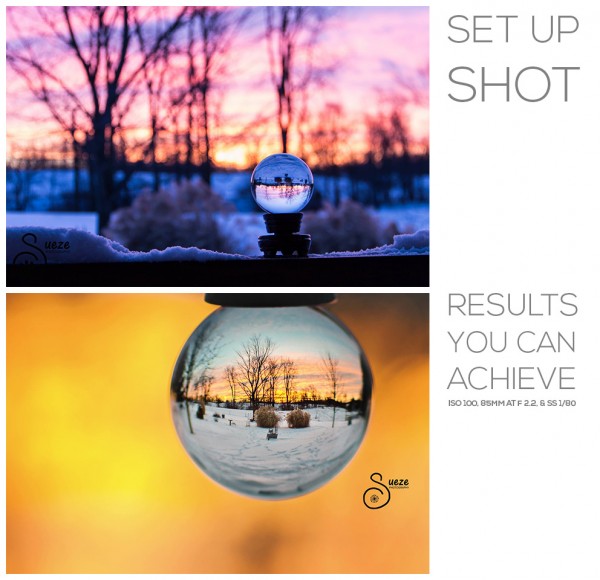
When you get in a rut, it’s fun to try new photo activities. If you aren’t doing our Photo A Day Challenges, we’d love you to join in. It isn’t too late. Beyond photo challenges, picking up a new technique can spark creativity. In that light, here’s a great photography project to try: Crystal Ball…

How To Create a Multiplicity Image
Photograph subject using different poses moving them around the frame. Then using layer masks in photoshop, reveal each pose creating a unique image.
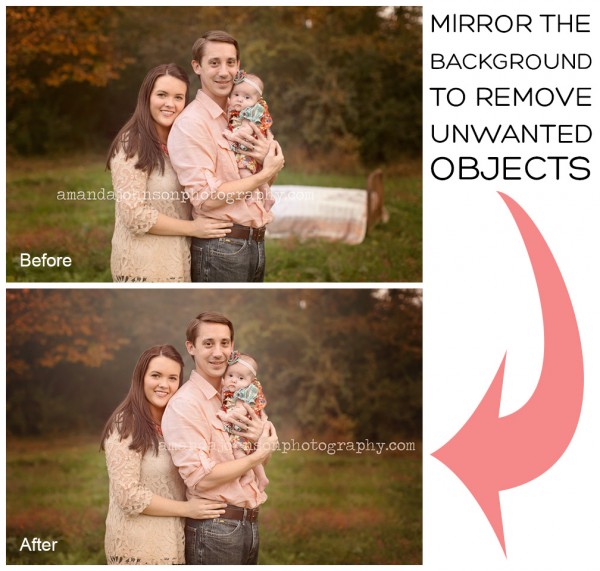
Mirror The Background In Photoshop To Remove Unwanted Objects
We’ve all had that moment of scrolling through our images and finding “the one” but then realize there is a ugly, distracting object in the background! Most of the time we grab our clone tool and quickly clone it out, but that’s not always the case. I’m going to show you my all time favorite…
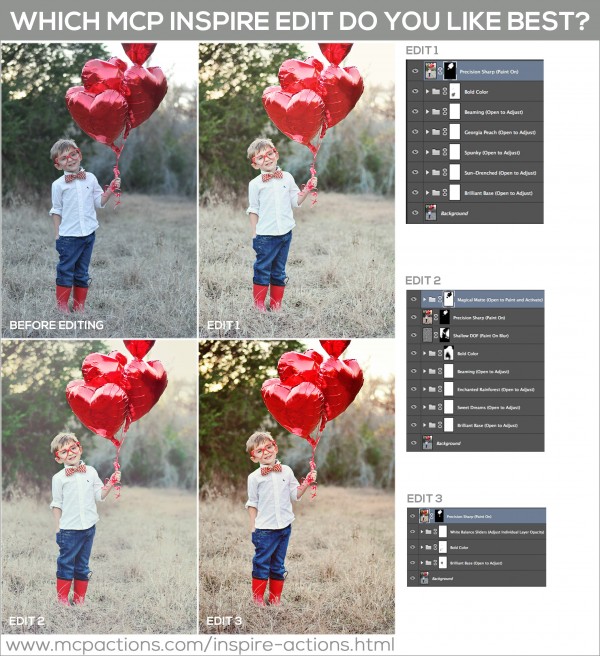
Three Step-By-Step Photoshop Edits: What is Your Favorite?
Three Step-By-Step Photoshop Edits: What is Your Favorite? Which edit do you like best? Each was edited with MCP Inspire Photoshop Actions for PS and PSE. Edit 1: Color Carousel: Used Brilliant Base, Sun-Drenched, Spunky, Georgia Peach, Beaming, Bold Color (masked off denim), Precision Sharp (painted on balloons + eyes) Edit 2: Color Carousel: Used…
5 Tips on Improving Your Landscape Photography
This blog includes five wonderful tips to help improve your landscape photography skills!
How to Photograph and Edit Portraits in the Snow
It can pose certain challenges to photography people in the snow. But don’t let it be a problem for your photography! Snow can make a wonderful setting for portraits if you use it to your advantage. One of the largest problems found by those trying to photograph people on snow getting the correct exposure. As…
How to Deliver Critique That Makes Photographers Better at Photography
With the ease of the digital age and the internet, posting and sharing photos almost instantaneously, it is easy to critique photographs from other photographers. Proper constructive criticism can help a photographer grow and get stronger. When delivering or receiving critique know that many comments are opinions not facts. When critiquing, be helpful and detailed,…

When You Should Upgrade From Your Kit Lens
Your camera came with a kit lens. Are you ready for an upgrade?

Learn How to Take Shortcuts When You Edit in Photoshop
There is no shortcut to experience and hard work in photography. I am a firm believer that your style and nitche can only be discovered by taking the long road. However, I want you to throw that ALL out the window because TODAY we are taking shortcuts when it comes to photo editing in Photoshop.…
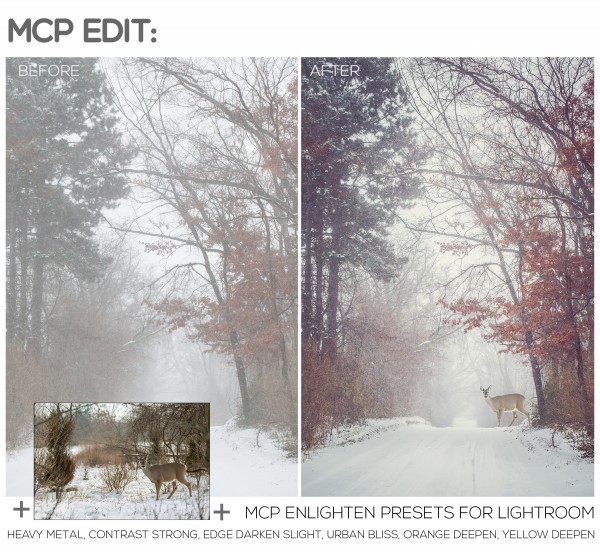
Lightroom and Photoshop for a More Powerful Edit
I often get asked which software a photographer should purchase, Lightroom or Photoshop. To me, you can afford it, I recommend getting Lightroom and Photoshop. They are not interchangeable and each has it’s strengths and weaknesses. Want quick, consistent edits: LIGHTROOM is the winner. Want details, concise edits or the ability to combine multiple images…

How to Create Beautiful HDR Images in Photoshop
Create HDR images in Photoshop using Merge to HDR Pro tool. No need for plug-ins or stand alone HDR software.
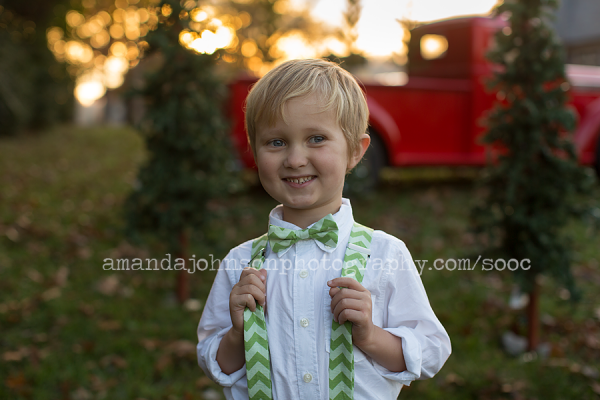
Christmas Mini Session Edited with MCP Inspire Photoshop Actions
I’m so happy MCP Inspire came out before my Christmas Mini Sessions! They’ve helped me speed up my workflow tremendously! When running actions, especially ones that enhance color tones, I turn all the layers off, start at the bottom by turning them back on and adjusting to taste. I do this and work my way…
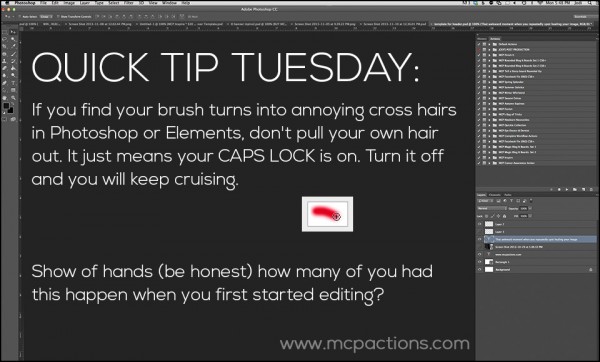
Quick Tip Tuesday: Get Rid of Cross-Hairs on Photoshop Brushes
If you use Photoshop or Elements, at one time or another, your brush will show cross-hairs instead of the outline of a circle. Likely, you will go into your preferences area and see a spot called cursors. After you realize you did not have the cross-hairs option on, you’ll scratch your head, or maybe start…
How To Photograph Christmas Light Displays
Christmas is almost here! Trees are being decorated, wreaths are being hung and don’t forget about the lights! Christmas lights have to be one of my favorite parts about the holiday. From the soft glow of a Christmas tree, to wild and crazy light shows and installations in the yards of suburbia, it’s amazing to…
Recent Posts








