
Photoshop Tips
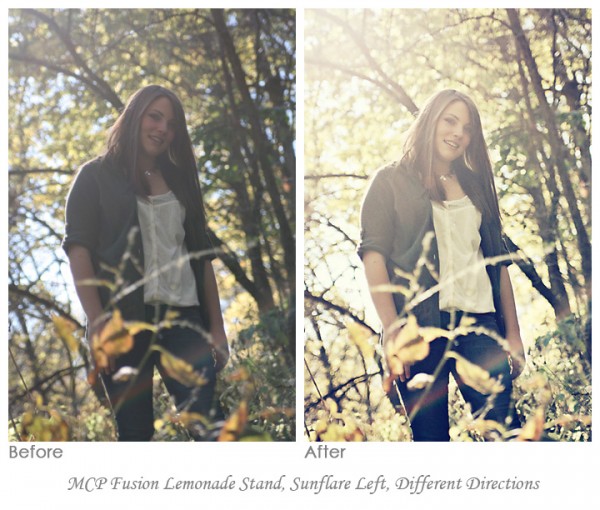
Blueprint: How to Deal with Haze and Add Sun Flare in Photoshop
Blueprint: all Photoshop actions shown in this Blueprint are from the MCP Fusion Photoshop action set Question: I often get asked “How can I fix an hazy, low contrast image?” My Answer: Add some contrast but also embrace the haze.. While editing, if the photo was too bright, decrease exposure using curves. Or if it…
Blueprint Shares from Customers: Fusion & Mini Fusion Photoshop Actions
I love when people share their before and after edits using MCP Photoshop actions. I invite all of you to download our Free Facebook Fix actions which provide you an easy way to share your before and after images on our Facebook Page. Just add text to indicate what actions you used or which photo…

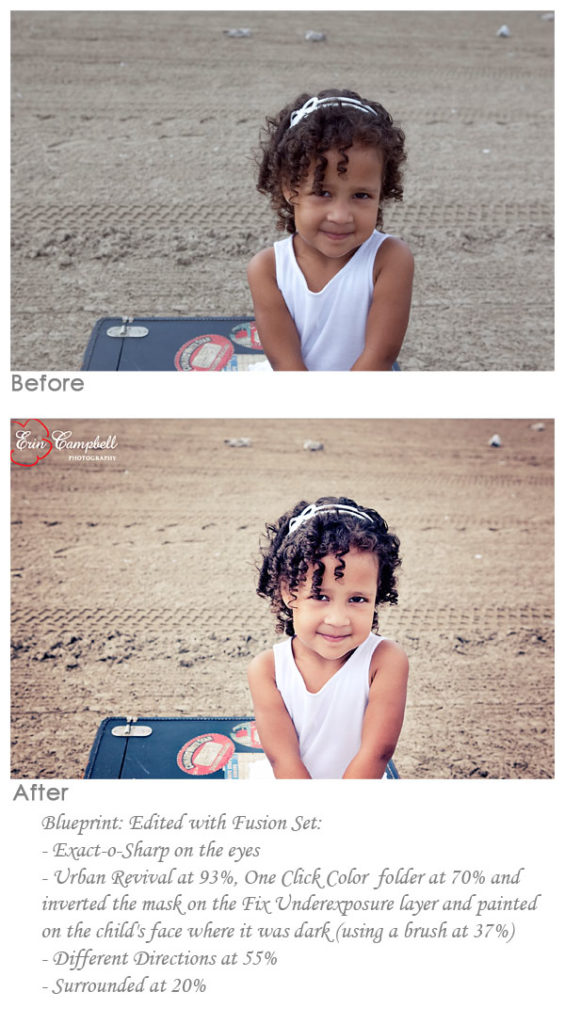
Fixing an Underexposed Shot with Photoshop Actions: A Blueprint
Fixing an Underexposed Shot with Photoshop Actions: A Blueprint Sometimes you get that perfect composition, with a cute from the child looking at the camera, but you don’t nail the exposure. It happens to both hobbyist and professional photographers at one time or another. Usually, if you have a better one, this shot might get…
Color Correction in Seconds Using Photoshop Actions
Color Correction in Seconds Using Photoshop Actions The best way to get accurate color is definitely shooting Raw and doing a custom white balance. But just because you know you should shoot this way, does not mean you will. In a recent Private Photoshop Training Class with Harmony Kellis, we worked on an image of…
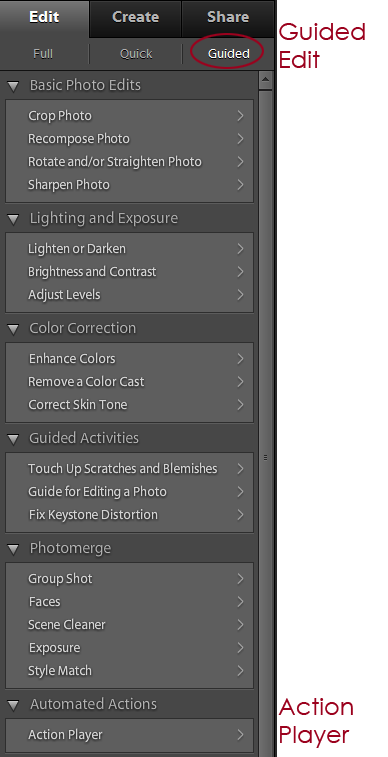
Actions in Elements: Installing in Effects Palette vs. Action Player
Where to Install PSE Actions: Effects Palette vs. Action Player Photoshop Elements compatible actions are available for many, but not all, of MCP’s products. One frustration we hear is that it is hard to know where to install the actions. Here are some tips for PSE (Elements) users about determining whether to access your actions…

Crave Photography * Before and After Edit with MCP Photoshop Actions
Crave Photography * Before and After Using MCP Photoshop Actions This photo was a little washed out and needed some color and depth! Here is the blueprint using Photoshop actions to get this look! Started with Magic Light and Magic Dark from the Bag of Tricks action set. I added light with a low opacity…
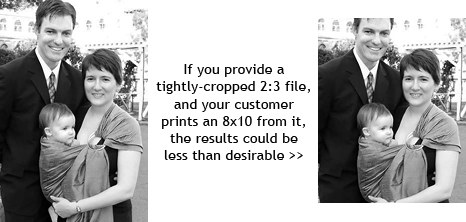
Preparing Digital Files in Photoshop for Print – Part 2: Strategies
Preparing Digital Files in Photoshop for Print If, after reading the post about potential risks of selling digital files to your customers, you feel pros outweigh the cons and that you it fits into your business model, you will want to minimize the risk of poor looking images. Read on to learn strategies in Photoshop…
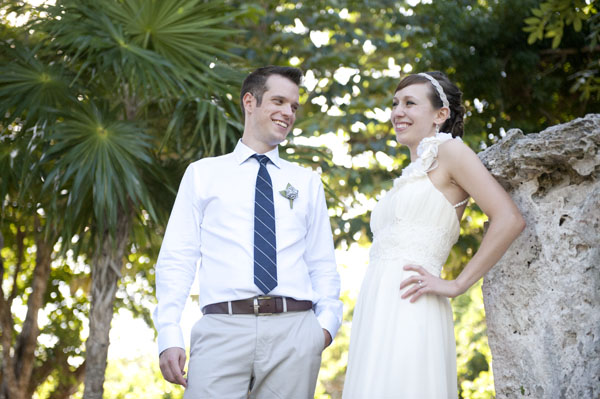
Removing the “Dull” From Your Photos Using Photoshop Actions
Removing the “Dull” From Your Photos Using Photoshop Actions Most photographers will find that even when they nail the exposure in camera, there may be a slight dull look to their images. This can easily be fixed with just a few steps in your post processing workflow. Today’s before and after Photoshop Actions Blueprint, by…

Easy Photo Editing and Better Images with Photoshop Actions
Ideally, as a photographer, we want to nail exposure in camera. It makes editing easier and faster – and it creates better images. But what if you failed to get perfect exposure while shooting? In Photoshop, you can use Photoshop actions, which automate the editing process. Another option to learn to use Curves Adjustment Layers. …
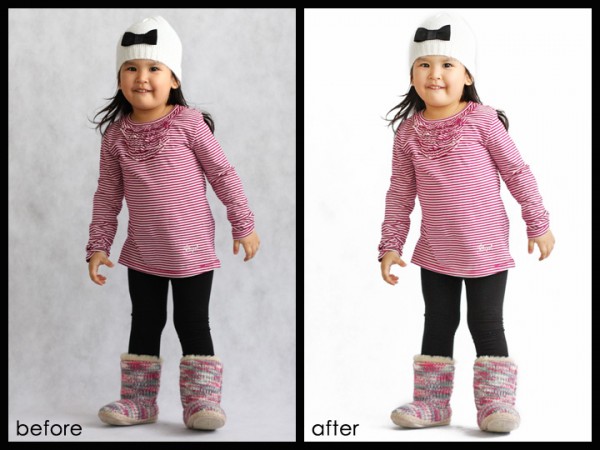
My 15 Second Photoshop Edit * For White Studio Backdrop Look
How to achieve a 15 Second Photoshop Actions Edit * For White Studio Backdrop Look One of my customers, Isabel San Jose, emailed me with her dilemma. She lives in Manila, Philippines and did a commercial product shoot for a clothing company. She has 100+ photos to edit from their upcoming line and her customers…

Color Pop Photoshop Actions: Blueprint by Crave Photography
Check out this amazing before and after Blueprint by Andee Tate of Crave Photography. Her work is just beautiful and inspiring! She edited this photo using the following mix of Photoshop actions: All in the Details – Details {Extreme Color} – color brushed on at 70% opacity Magic Skin: Used the Powder Your Nose action…

Vintage Photoshop Actions with a Twist of Contrast & Color Pop
This Photoshop actions Blueprint Fan Share was submitted by Amber Snead, who wanted a higher contrast vintage look. The step-by-step Blueprint: This photo was underexposed and lacked contrast. I started by using the Quickie Collection to address these issues: Ran Extreme Fill Flash action to brighten the entire photo Used Color Flair – this action…

Getting Vivid Color Pop & Contrast With Photoshop Actions
This Photoshop actions Blueprint Fan Share was submitted by Kattrina Holt of Sassafrass Photography, who loves vibrant color pop and contrast in her images. Her step-by-step Blueprint: I opened the image in Lightroom 2 and warmed it up Then I opened it in Photoshop CS5 and used the MCP action set Bag of Tricks. I…
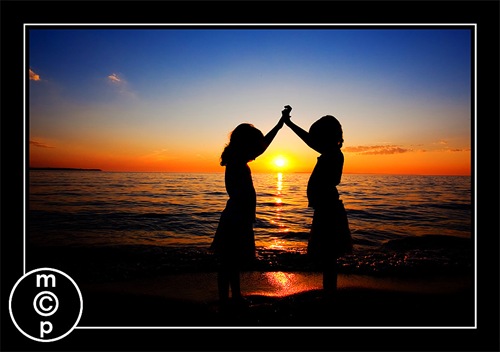
Photographing Silhouettes, a flashback to great tutorials – learn to create your own!
Have you ever wanted to know how to photograph silhouettes? Do you love sunset pictures with your subjects silhouetted in the foreground? I’m back! And as promised in an earlier guest blogger post I promised I’d dig up some of Jodi’s previously shared information on silhouettes. For me, summer is dwindling and I’m playing with…
Speed Up Your Workflow – Batch Editing, Presets, and Resizing/Sharpening
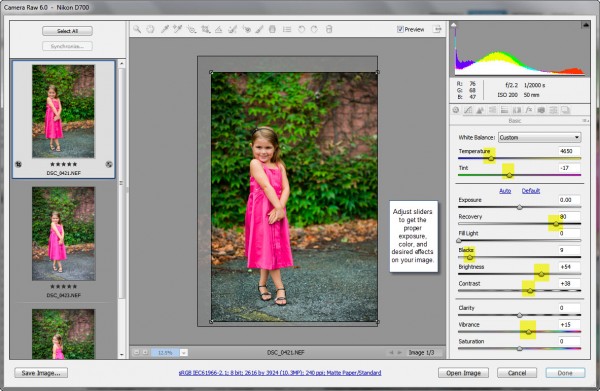
Speed Up Your Workflow – Batch Editing, Presets, and Resizing/Sharpening Did you know you can speed up your workflow by editing pictures in batch? When you spend 5 minutes per individual picture, and you are showing 30 pictures in a gallery, that is 2.5 hours of editing time. If you edit multiple pictures at one…
Turn Your Photo Into An Oil Painting in Photoshop CS5
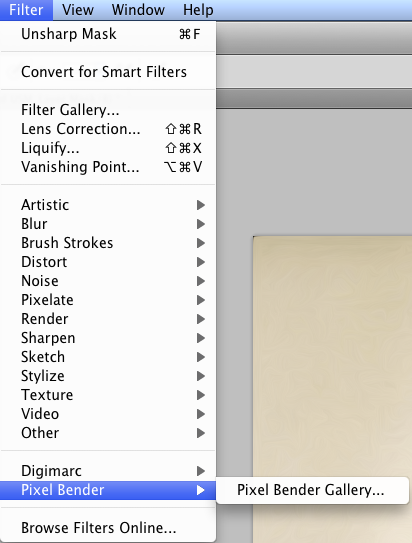
Oil Paintings in Photoshop CS5 Have you ever wanted to learn how to create hand-painted works of art quickly? If so, you may have played with the Photoshop filters. They typically do not net great results. So, you either learned the art of painting in Photoshop or another program, which is anything but quick or…
Photoshop Actions CS4 & CS5 Troubleshooting: Invert Not Available
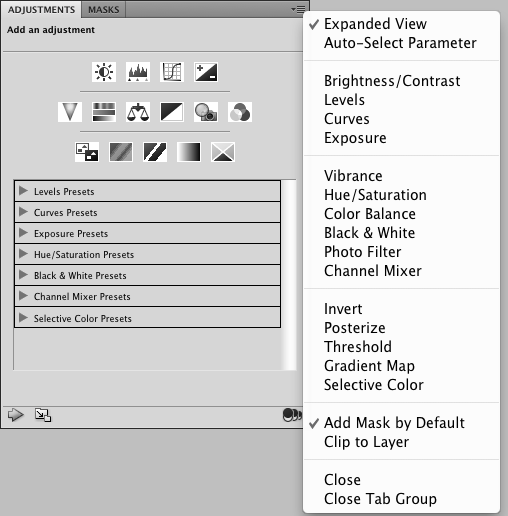
Photoshop Actions CS4 & CS5 Troubleshooting: Invert Not Available If you are using Photoshop CS4 or CS5 in 64 bit, and running Photoshop actions that you know worked well in a previous version, you may run still run into trouble. There are many reasons actions can cause you problems and stress. Here is a past…

Use Photoshop Actions to Add Beautiful Directional Lighting
Use Photoshop Actions to Add a Touch of Beautiful Lighting Some photos may have a correct exposure but may benefit from selectively lightening or darkening parts of the image to draw attention in a specific direction. In this photo taken of Jenna by a tree, you can see beautiful light coming through her hair. The…
Head Swapping Photoshop Tutorial for Photographers
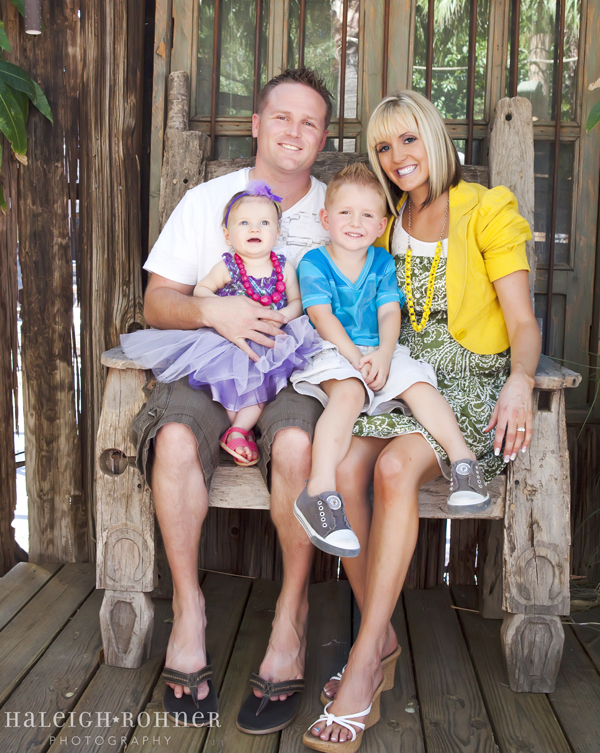
Head Swapping Photoshop Tutorial for Photographers To head swap, or not to head swap…. that is the question. This is a question that a lot of photographers are on the fence about. I personally do not do it too often. I like the look of a candid photo, and not a perfect photo that was…
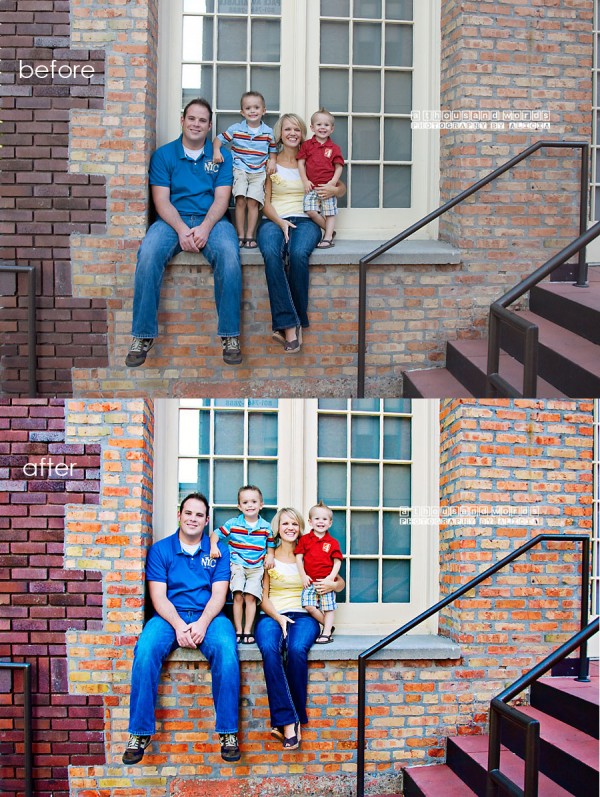
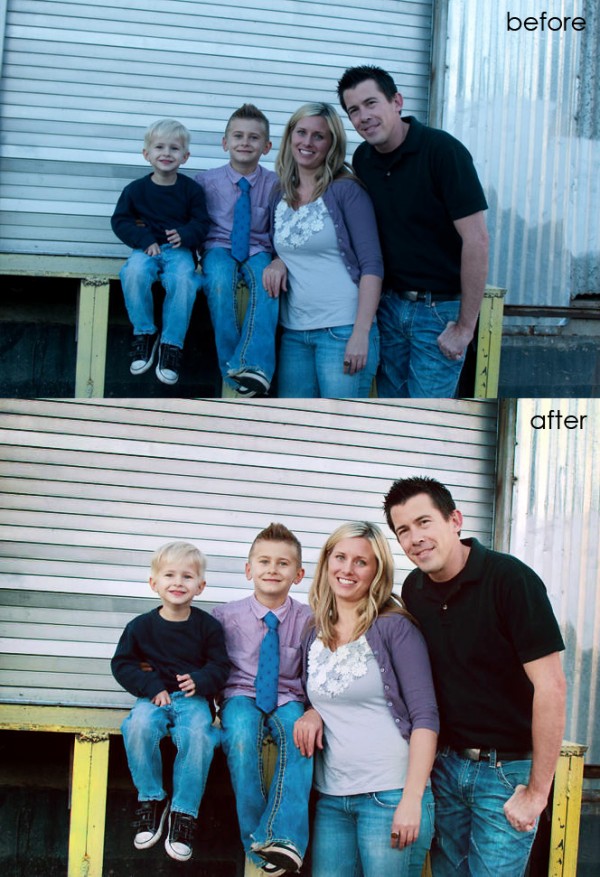
Achieve Vivid Color Using Photoshop Actions: A Family Blueprint
Achieve Vivid Color Using Photoshop Actions: A Family Blueprint If you are looking to achieve vivid, bright, crisp color photos, you will want good lighting and to nail your focus. While shooting with shallow depth of field is great for portrait photography, remember with families, you may want all the subjects in focus too. Once…
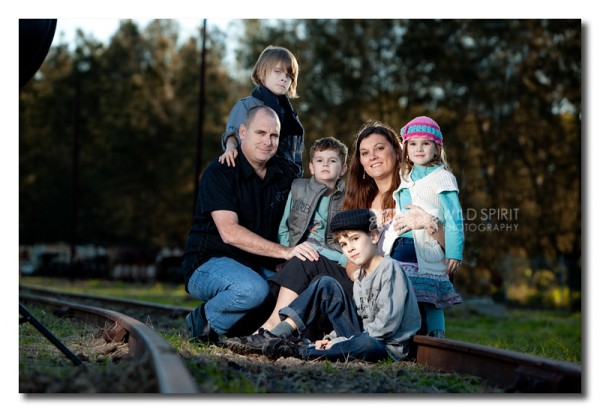
Editing an Off Camera Flash Photograph in Photoshop is EASY!
This week’s Blueprint uses no actions and barely any editing. Why? Because of the advantages of off camera flash photography is less editing. YAY! Ainslie Bernoth, who is doing a Free flash photography six part series, which is 1/2 way through, sent me this image – her before and after with steps. Ainslie started by…
Recent Posts








