
Retouching

How to Use Photoshop Actions to Enhance Photos {Blueprint}
The best way to use Photoshop actions is to make good photos great. I love editing images that start off with nice lighting and composition. Renee Trichio (Twice as Nice Photography) took a Private Photoshop Actions Training with me a few weeks ago so she could learn to get the most from her purchases. Remember…

Over-Editing in Photoshop: How to Avoid 25 Common Editing Mistakes
Don’t fall victim to the common editing mistakes that most photographers make at one time or another. Find out the mistakes and how to avoid them in your photo editing. Decide for yourself which may still have a time and place in your workflow.
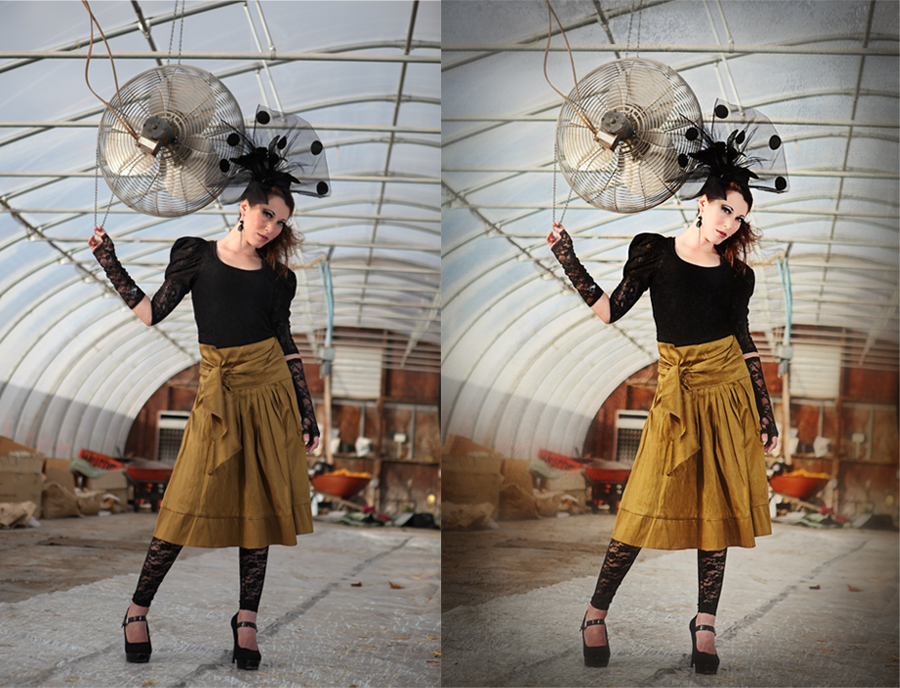
Blueprint: A Mom or a Model? Some Fan Shares
Thank you to Camilla Binks of Camilla Photography for this week’s Blurprints. I asked her the story about the model and these beautiful pictures and here is what she said, “This is my beloved sister, Noel. Isn’t she gorgeous!?!? She is a mother of two with her youngest being just 5 months old. I was…
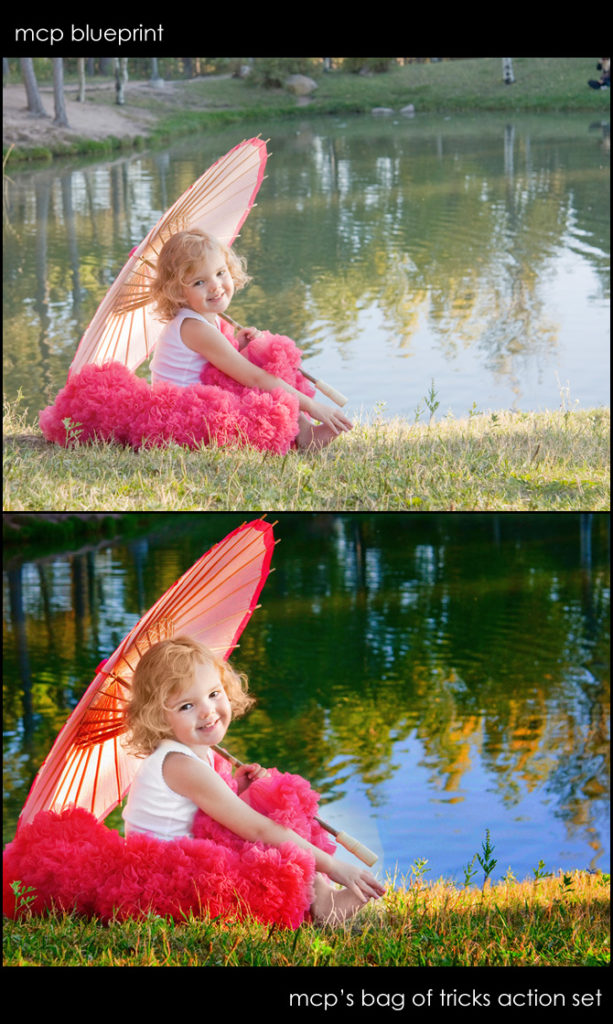
Blueprint: A Girl and Her Umbrella
This adorable photo is from Kara Roberts Photography. She wrote, “I have tried and tried to post process this one but they all turn out ICK. She’s just surrounded by green, and even when I do a levels and curves adjustment it just makes the green worse.” So I decided to play with Kara’s photo…
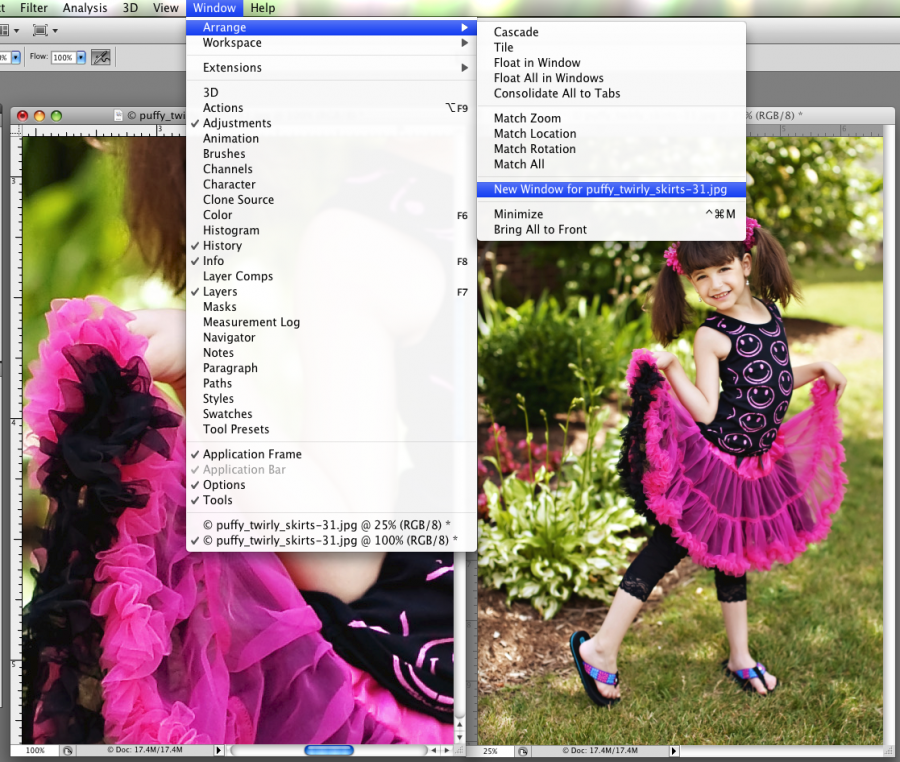
Photoshop Editing Quick Tip: Edit Zoomed In & Out at Same Time
Do you ever get frustrated as you are editing in Photoshop when you are doing detailed edits and retouching? Do you wish you could be zoomed in close, but also see the overall effect on the photo? If so, you will love this trick! Just go to WINDOW – NEW WINDOW (for..) and it will…
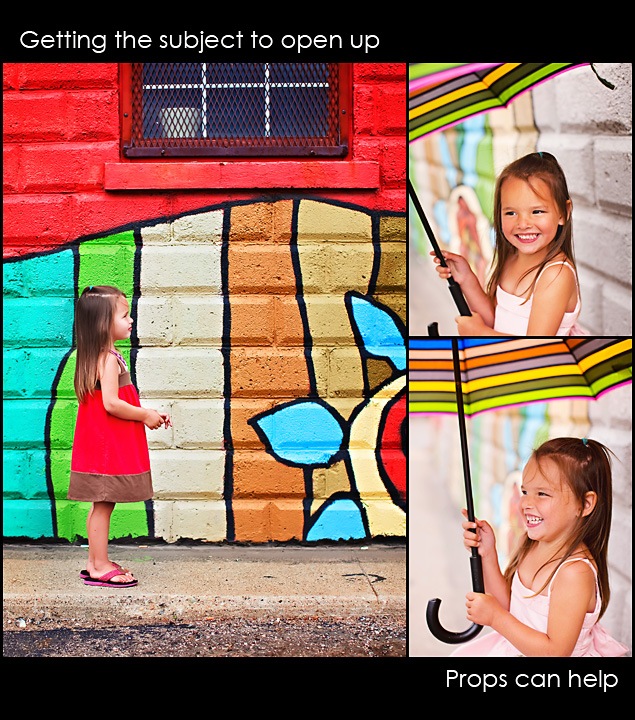
Photographing a Shy Child ~ How to Get Them To Interact
How you ever had to take pictures of a shy child? This little girl, Isabel, was just adorable. Who would believe she was super shy? She was… Photographing a shy child can be a challenge. Having props, tools, and a gift for conversation, can help get a shy child to open up. So in this…
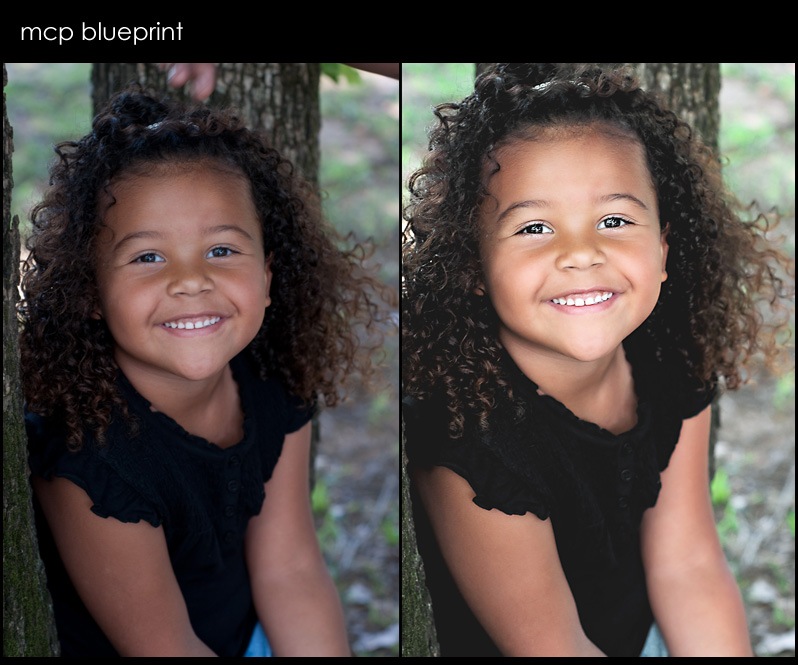
Blueprint – close-up of a cute little girl, a natural looking Photoshop edit
Sometimes when I make the blueprints, I tend to go overboard and almost exaggerate the edits so you can see what I did. For this one I wanted to do a super realistic, natural edit. Thank you to Jill Ellison for this adorable picture. This little girl looks so cute with her sweet curls. Here…

Blueprint – Baby Time – Making a Cute Newborn Even Cuter
If you want better newborn images, take our Online Newborn Photography Workshop. This photo was sent in by Nilofar Walters of Fig Tree Photography in Australia. She wrote me an email that read, “First off thank you for a wonderful and informative blog. I have also bought a couple of your actions and I…
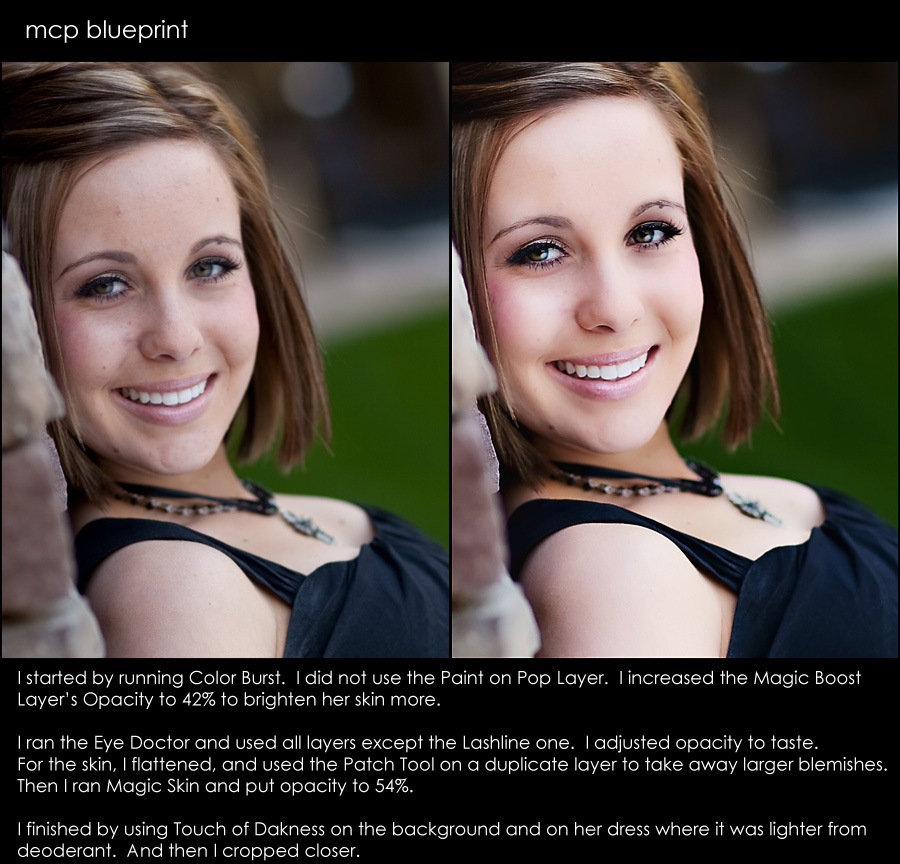
Blueprint – 2 different approaches to similar photographs (extreme versus natural)
Today’s blueprints will show you 2 similar photos of the same model taken in the same light. I edited them very differently so you could get an idea of how you can get completely different looks under the same conditions. For the 1st Blueprint of this graduating high school senior, I took a natural enhanced…
12 Free Photoshop Books plus 3 MCP Favorite Books Revealed
If I told you I had a dozen free Photoshop books to give you, is that something you would be interested in? Yesterday I gave you 18 free previews of photography books. Today is Photoshop book day. Think about the old days when you could sit in a book store and page through books before…
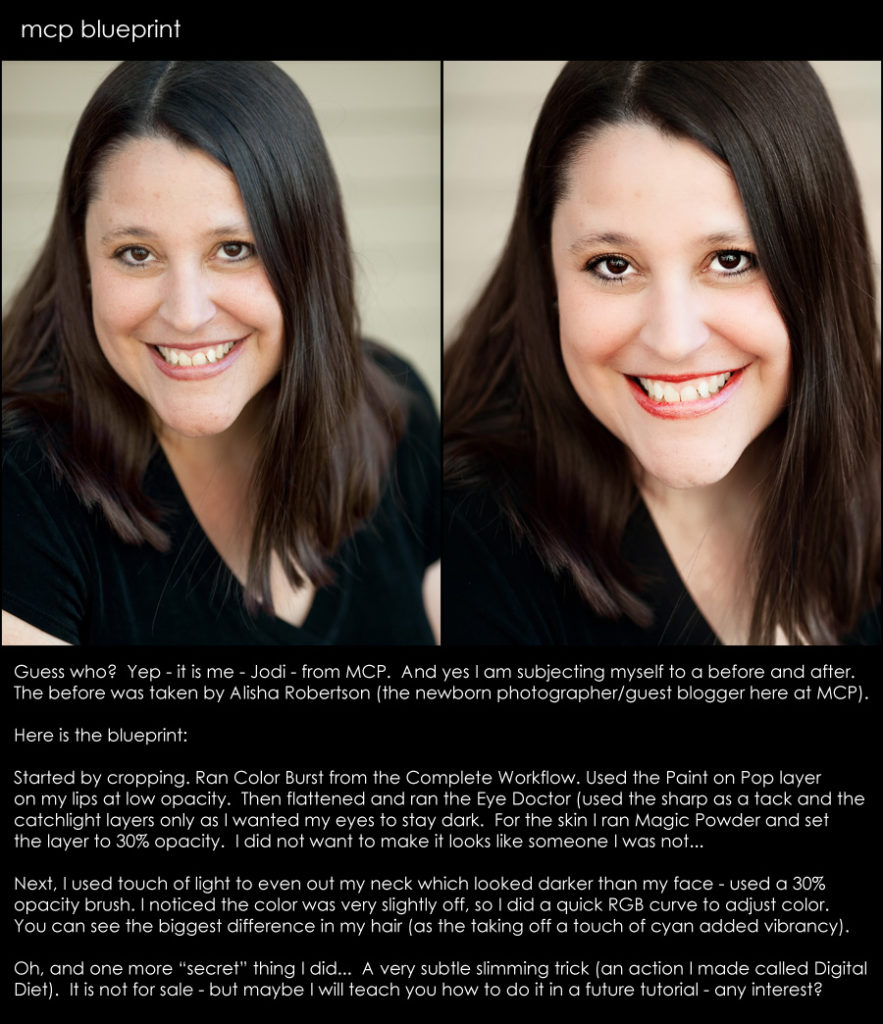
Recognize the Person in Today’s Before and After Blueprint?
Yep – I figured today I would subject myself to a little “Blueprint” action. I still remember the days of getting carded and being told I look so young. Well those days are “past tense” I think. I am now 37 and starting to look and feel my age. Here is a photo of me before and after some…
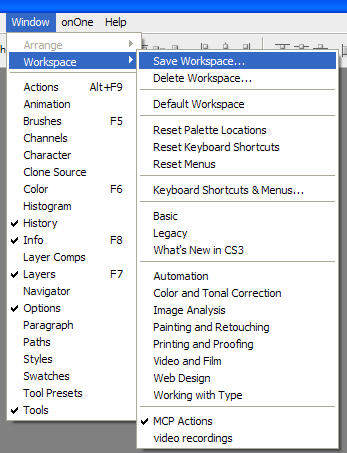
Customizing and saving your workspace in photoshop
Here is a pretty quick tip that can save you some frustration and also time. Today I will show you how to customize and save your workspace in Photoshop. 1st get the palettes and toolbars that you like working with open. Then arrange them in your preferred layout. Once you have this done, you will…
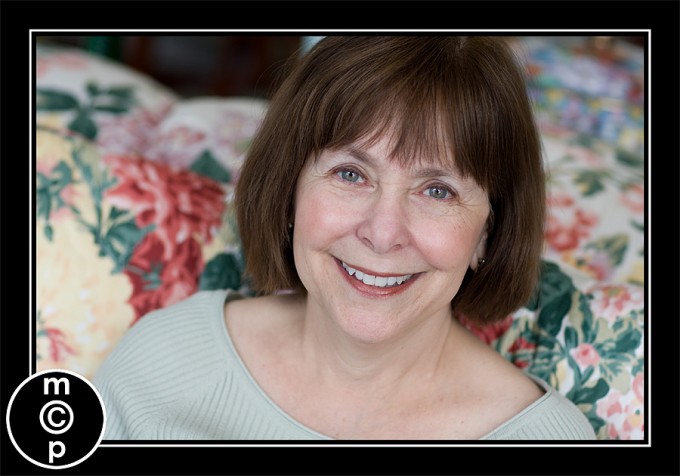
Photo Makeover: Decreasing Wrinkles and Smoothing Skin in Photoshop
From time to time – I will be doing photo makeovers on my blog. Sometimes it may be a HUGE makeover, sometimes more subtle. I may do them by hand or with a combination of actions. I will let you know what methods I use. These are not tutorials. But you may get a tip…
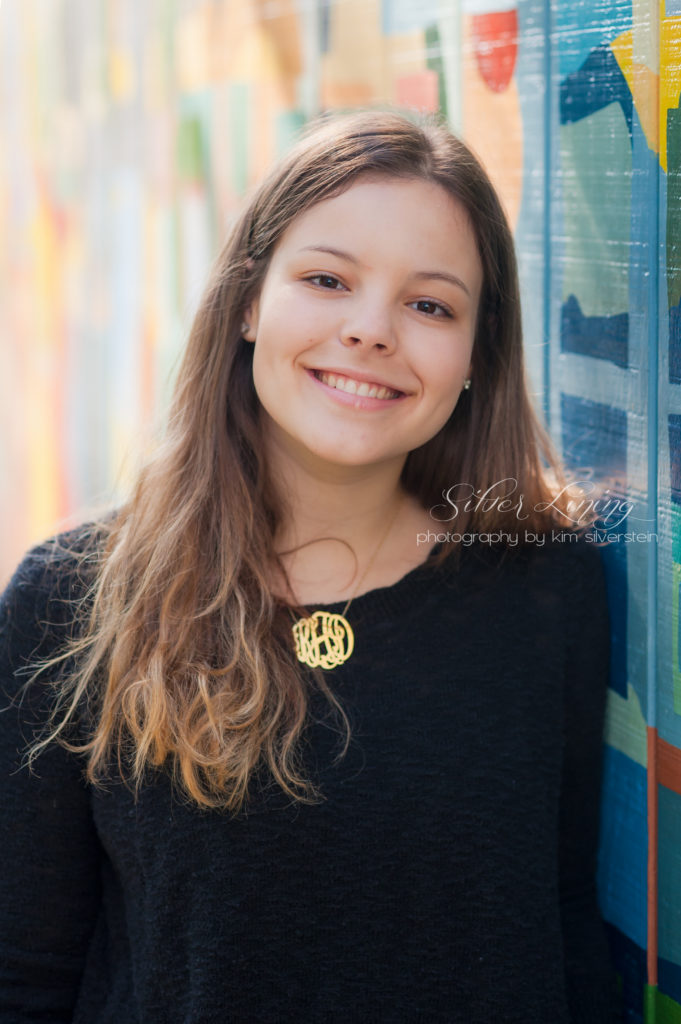
Photoshop Tip of the Week: Removing Dark Circles
My 1st Photoshop tip for my new blog: Removing Dark Circles When I first started with Photoshop, I tried to remove shadows under my girl’s eyes using the healing brush. I occasionally still use this tool on blemishes on a new layer, but I have found more effective ways to work on under eye/deep-set eyes.…
- « Previous
- 1
- 2
Recent Posts








