
MCP Actions™ Blog: Photography, Photo Editing & Photography Business Advice
The MCP Actions™ Blog is full of advice from experienced photographers written to help you improve your camera skills, post-processing and photography skill-sets. Enjoy editing tutorials, photography tips, business advice, and professional spotlights.

MCP is Going to Change the Way You Prepare Images for the Web… Again!
Coming Monday, February 8th, 2010… In 2008, MCP Actions introduced the revolutionary “Blog It Boards.” These photoshop actions changed the way photographers prepared and displayed 2 or more images at a time on the web. As often happens with unique products that fill a need, they were eventually imitated in various forms. I never would…

New MCP Actions Team Member – Focusing on Photoshop Actions for Elements
MCP Actions has hired Erin Peloquin as a consultant and to be part of the MCP team. I kept this top secret for the past 2 months so that I could surprise you. Erin’s specialty is Adobe Photoshop Elements. And as you can guess, she will be working on converting some MCP actions sets for…

From Ebayer to Photographer | Interview with Heather Armstrong
Tell us a little about you, your family, and your kids? My name is Heather Armstrong. I couldn’t imagine living in a better moment than now! I love my life & all that it as become! I am a wife. I have three amazing kids–Conner-11, Kira-8, & Madison-7. And I am photographer. My website is…
Business and Blogging Tips for Photographers
In January, business seems to be on everyone’s mind. And as a result, I had many business related questions in January. I will address some of the most popular ones. How can I get more people to visit my website and blog? The MCP Blog currently gets around 2,500-4,000 unique visitors per weekday and 10,000-15,000…

What is the Best File Format to Save Your Photos In?
When editing in Photoshop, what is the best format to save photos in? Which makes the most sense for photographers? To learn which file formats are best and which I use, check out my guest post on the Digital Photography School. Digital Photography School is the publisher of the Photo Nuts and Bolts book. If…
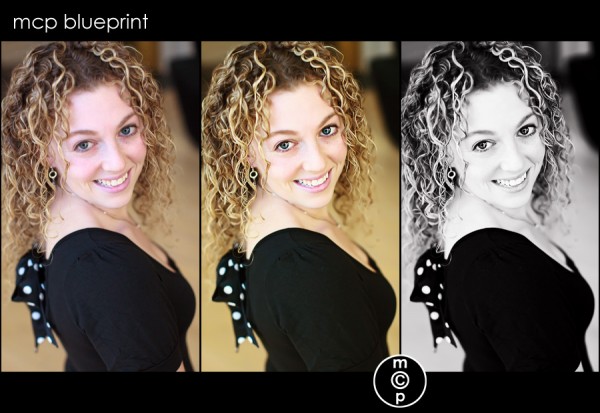
Blueprint: The Girl Wants a Date…
When I visited Atlanta, my hometown, around New Years, I had a blast taking photos of my nieces and nephew. I also had the opportunity to take a some photos of my sister, who is 26. She is 12 years younger than me… so you do the math. We were having so much fun, and…
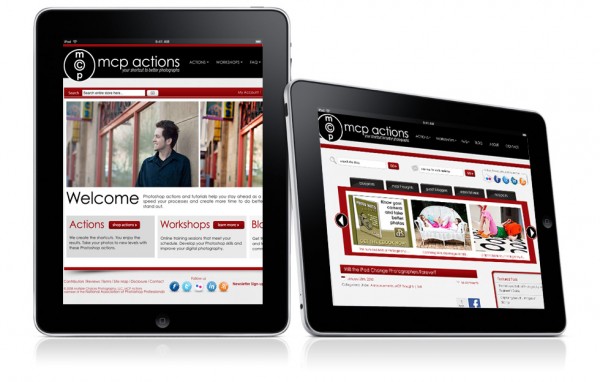
Will the iPad Change Photographers Forever?
Imagine having your portfolio with you wherever you go. Imagine having photography books and guides at your fingertips. Imagine doing in person ordering. Imagine showing your customers their photos on a portable “pad.” Beautiful! I have a MacPro, MacBookPro, and an iPhone. In many ways this appears to be an iPhone on steroids. I love…
And You Consider Yourself a Photographer?
I read this post yesterday by Scott Bourne of the PhotoFocus Blog. I loved it for so many reasons. So as I often do with posts I enjoy, I shared it on Twitter and Facebook. The response was great and I know that it is easy to miss information on those platforms, so I wanted…

iPhone apps for photographers | the collaboration
I love my iPhone. Many photographers I know have an iPhone. And based on the amount of iPhone apps under the photography section of the iTunes store, clearly people want to use their iPhone for taking/editing photos or even as a photographer’s tool. A while back, I did a top 10 iPhone apps list. Well…
5 Travel Photography Mistakes That Could Prove Costly
5 Travel Photography Mistakes That Could Prove Costly By Kathy Wilson If you were a born with the wanderlust star over your head, you would probably kill to find a job as a travel photographer. Not only do you get to travel, you also get paid to do what you love to do. But being…
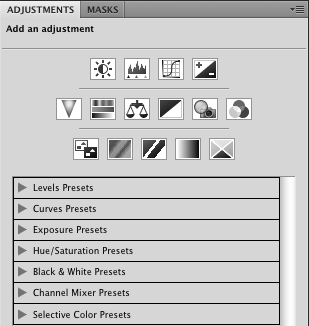
10 Reasons You NEED to use Adjustment Layers in Photoshop
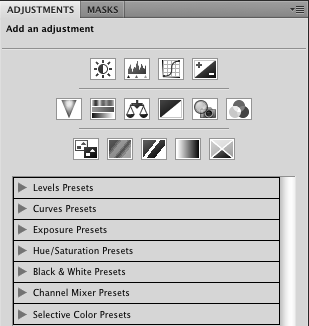
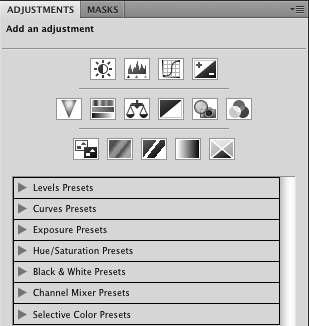
10 reasons you need to use adjustment layers instead of duplicate layers when editing in Photoshop 1. Duplicating the background doubles file size. Using an adjustment layer does not. This makes for smaller files and uses less computer memory. 2. When you duplicate the background layer, you create pixels that can cover other layers. When…
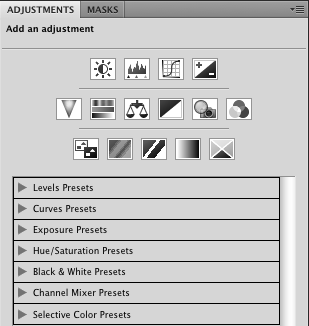
10 Reasons You NEED to use Adjustment Layers in Photoshop
10 reasons you need to use adjustment layers instead of duplicate layers when editing in Photoshop 1. Duplicating the background doubles file size. Using an adjustment layer does not. This makes for smaller files and uses less computer memory. 2. When you duplicate the background layer, you create pixels that can cover other layers. When…
10 Reasons You NEED to use Adjustment Layers in Photoshop
10 reasons you need to use adjustment layers instead of duplicate layers when editing in Photoshop 1. Duplicating the background doubles file size. Using an adjustment layer does not. This makes for smaller files and uses less computer memory. 2. When you duplicate the background layer, you create pixels that can cover other layers. When…
10 Reasons You NEED to use Adjustment Layers in Photoshop
10 reasons you need to use adjustment layers instead of duplicate layers when editing in Photoshop 1. Duplicating the background doubles file size. Using an adjustment layer does not. This makes for smaller files and uses less computer memory. 2. When you duplicate the background layer, you create pixels that can cover other layers. When…
Photoshop Video Tutorials: Reloaded
Thank you for your support with the launch of my new site and blog over the past month. One issue I have heard is that the video tutorials occasionally would have a hiccup and not play through. I have re-loaded and worked the way videos display on the site. They should be working more reliably…

Blueprint: Fan Share of a Sweet Newborn in a Basket
This Blueprint was sent in by Gina Neary of Pea Head Prints. I love her photography, post processing, and on top of that her graphics work. She helped me recently with all of my new banner ads, business cards and post cards so that they could match the new MCP Blog and MCP Website.…
The Nuts and Bolts of Photography: A Beginner’s Guide
Attention all new photographers… if you do not understand ISO, Speed, and Aperture… or if you still shoot in auto mode, you need the Nuts and Bolts e-Book. Find out how you can get this affordable guide now.

10 Tips for Becoming a School Portraiture Photographer
The Business of School Portraiture By Courtney DeLaura The pre-school and school portrait business, in general, is typically a scary subject for portrait photographers—very much a photographic area that many wouldn’t dare consider. Visions of cattle call-like lines of children, little black combs and ugly backdrops flash before your eyes. I know, because those are…
Photoshop Quick Tip: Tone Down Overly Saturated Colors
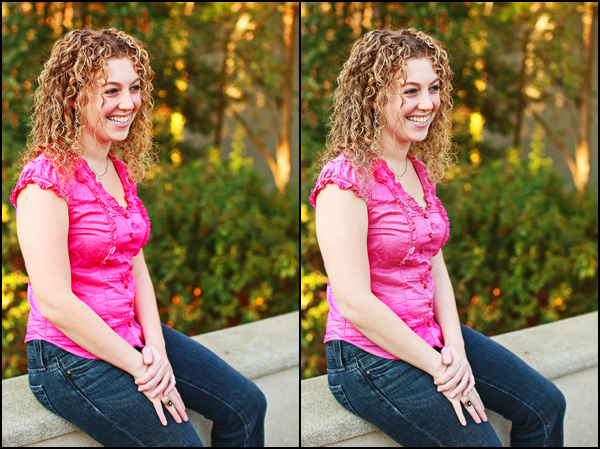
Sometimes an image has colors that are too saturated, either from over-edited or even straight out of camera. You’ve seen the images with pink so bright it hurts your eyes, or grass that is neon. Sometimes the skin just looks like it baked too long. There are a number of sophisticated ways to fix these…
Blueprint: That Cute, Fast 1 Year Old
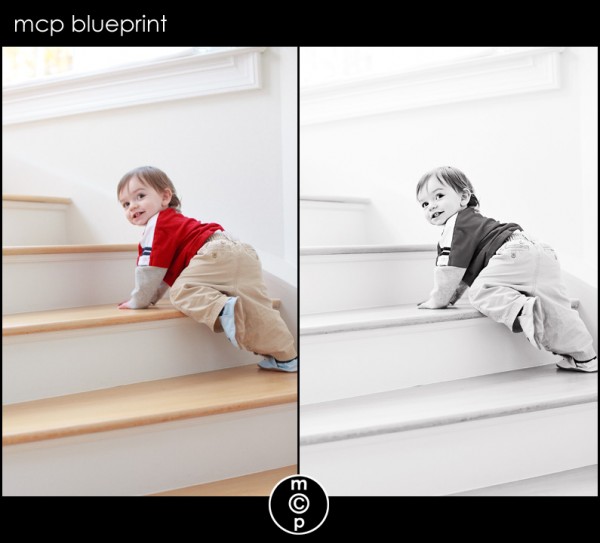
After my post on Pioneer Woman’s site about challenges photographing a 1 year old, I got a lot of questions. What lens, what settings, how did I get the b&w, etc… I figured the best way to answer these was in a blueprint. I shot this image with my Canon 5D MKII with the Canon…
Recent Posts








