
Photoshop Tips

What To Do If Photoshop Goes Crazy?
Every so often, Photoshop may act irrational. It starts doing things that do not make sense. It may not react to your clicks correctly, freeze up, or give you errors in places you usually do not get them. Just like a car, Photoshop sometimes needs a “tune up.” Much like your computer, how fragments can…
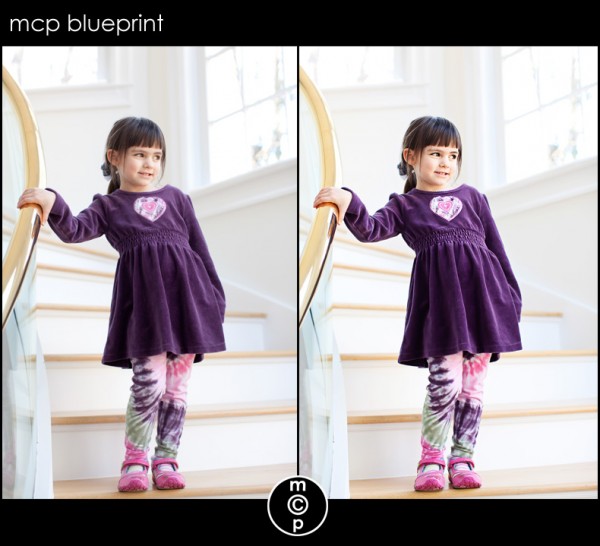
Blueprint: Simple, Cleaner Edits for Post Processing in Photoshop
This is my niece Kaitlin. She has the sweetest eyes was such a pleasure to photograph. Her images barely needed any editing. Details on the edit and which MCP Photoshop actions were used (straight out of camera shown 1st, then the final image 2nd): I started editing this shot my using Noiseware since I shot…
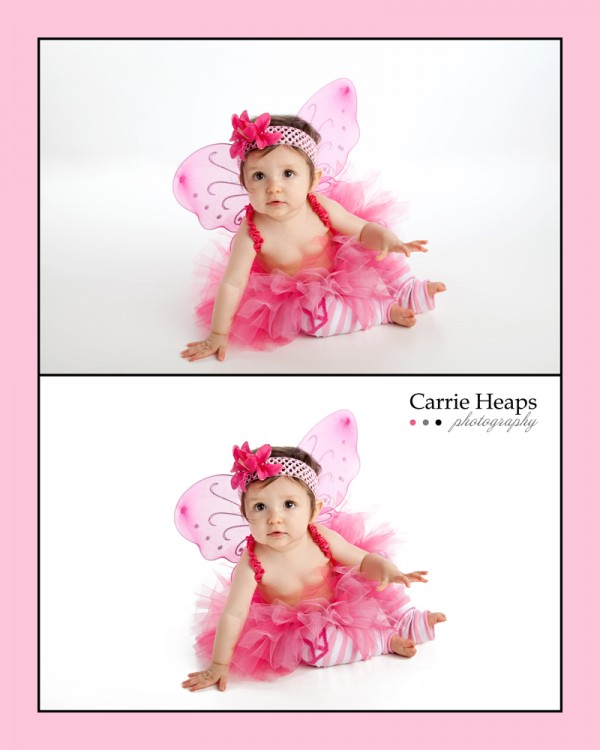
Blueprint Fan Share: Sweetest Little Valentine
Thank you for this adorable Valentine themed before and after Blueprint from Carrie Heaps Photography. Details on the edit and which MCP Photoshop actions were used (straight out of camera shown 1st, then the final image 2nd): Started by adjusting the gamma and contrast manually. Ran MCP Studio White Bright Spell from the Bag of…

What is the Best File Format to Save Your Photos In?
When editing in Photoshop, what is the best format to save photos in? Which makes the most sense for photographers? To learn which file formats are best and which I use, check out my guest post on the Digital Photography School. Digital Photography School is the publisher of the Photo Nuts and Bolts book. If…
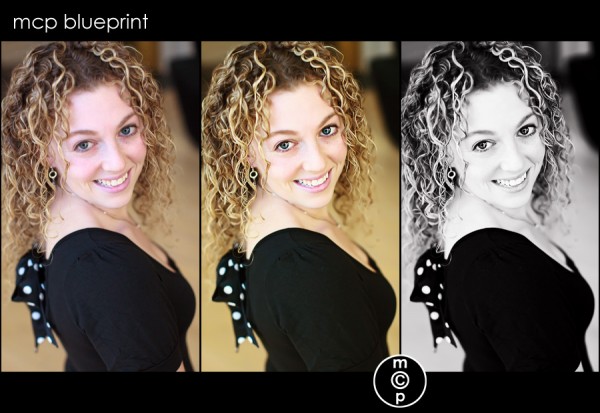
Blueprint: The Girl Wants a Date…
When I visited Atlanta, my hometown, around New Years, I had a blast taking photos of my nieces and nephew. I also had the opportunity to take a some photos of my sister, who is 26. She is 12 years younger than me… so you do the math. We were having so much fun, and…
10 Reasons You NEED to use Adjustment Layers in Photoshop
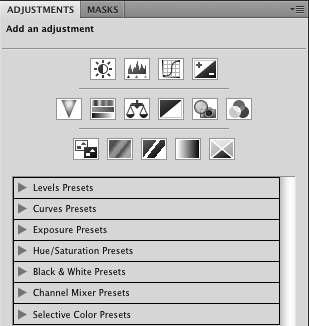
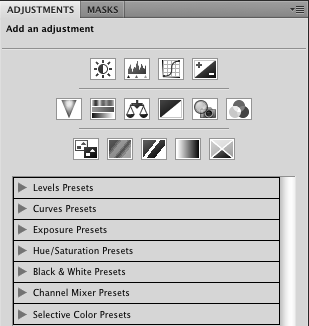
10 reasons you need to use adjustment layers instead of duplicate layers when editing in Photoshop 1. Duplicating the background doubles file size. Using an adjustment layer does not. This makes for smaller files and uses less computer memory. 2. When you duplicate the background layer, you create pixels that can cover other layers. When…
10 Reasons You NEED to use Adjustment Layers in Photoshop
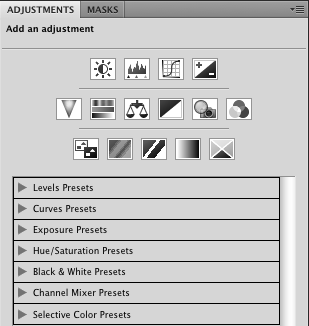
10 reasons you need to use adjustment layers instead of duplicate layers when editing in Photoshop 1. Duplicating the background doubles file size. Using an adjustment layer does not. This makes for smaller files and uses less computer memory. 2. When you duplicate the background layer, you create pixels that can cover other layers. When…
10 Reasons You NEED to use Adjustment Layers in Photoshop
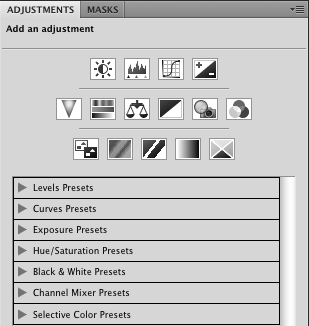
10 reasons you need to use adjustment layers instead of duplicate layers when editing in Photoshop 1. Duplicating the background doubles file size. Using an adjustment layer does not. This makes for smaller files and uses less computer memory. 2. When you duplicate the background layer, you create pixels that can cover other layers. When…
10 Reasons You NEED to use Adjustment Layers in Photoshop
10 reasons you need to use adjustment layers instead of duplicate layers when editing in Photoshop 1. Duplicating the background doubles file size. Using an adjustment layer does not. This makes for smaller files and uses less computer memory. 2. When you duplicate the background layer, you create pixels that can cover other layers. When…

Blueprint: Fan Share of a Sweet Newborn in a Basket
This Blueprint was sent in by Gina Neary of Pea Head Prints. I love her photography, post processing, and on top of that her graphics work. She helped me recently with all of my new banner ads, business cards and post cards so that they could match the new MCP Blog and MCP Website.…
Photoshop Quick Tip: Tone Down Overly Saturated Colors
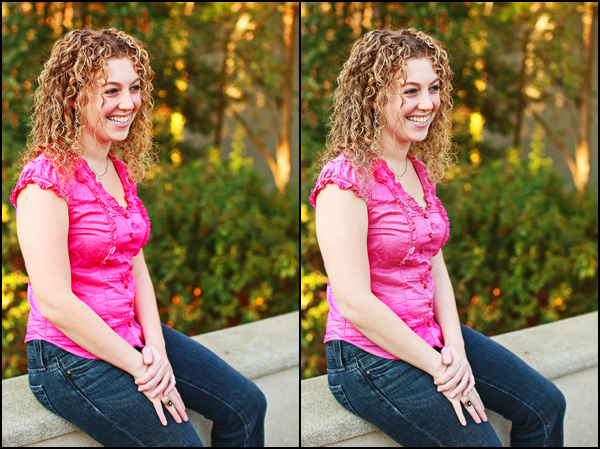
Sometimes an image has colors that are too saturated, either from over-edited or even straight out of camera. You’ve seen the images with pink so bright it hurts your eyes, or grass that is neon. Sometimes the skin just looks like it baked too long. There are a number of sophisticated ways to fix these…
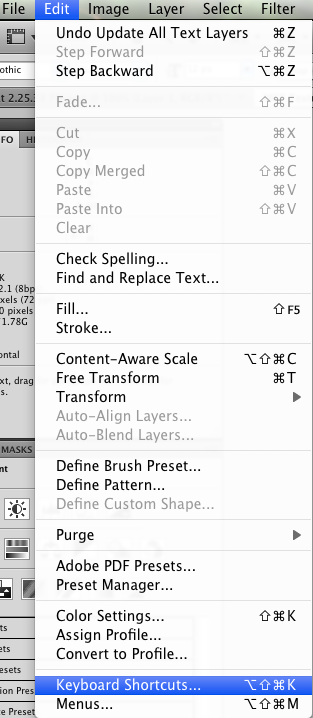
Quick Tip: Photoshop Shortcuts
Yesterday I taught you how to assign F Keys to your actions. But another cool thing you can do is assign those same Keys to other stuff. As you may know, Photoshop has numerous shortcuts built in. Everything from bracket keys (increase/decrease brush size) to D and X (to set colors to default and swap…
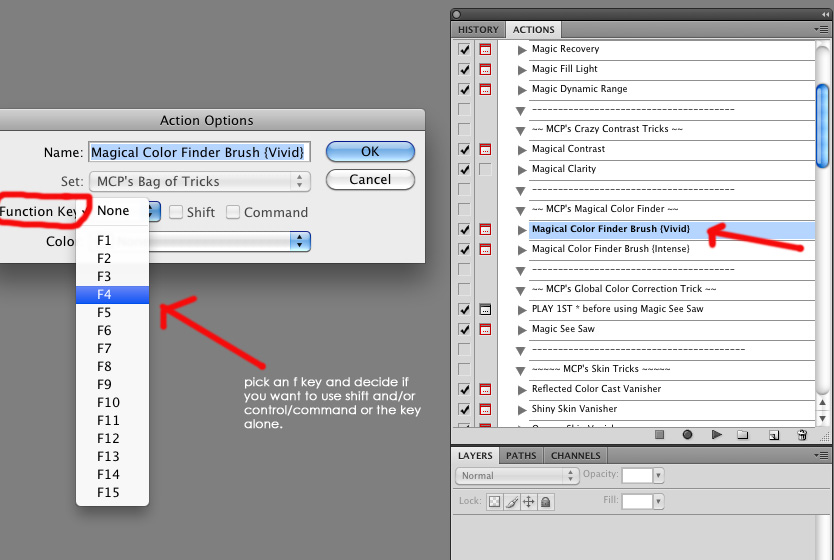
Quick Tip: Editing Faster in Photoshop
Have you ever wished you could click a button and have Photoshop do your work for you? If you own Photoshop Actions and a Keyboard, it is almost that easy. You can assign your actions to “F” keys on your keyboard. Most keyboards have 12 F Keys. Some have 15 or more. You can also…
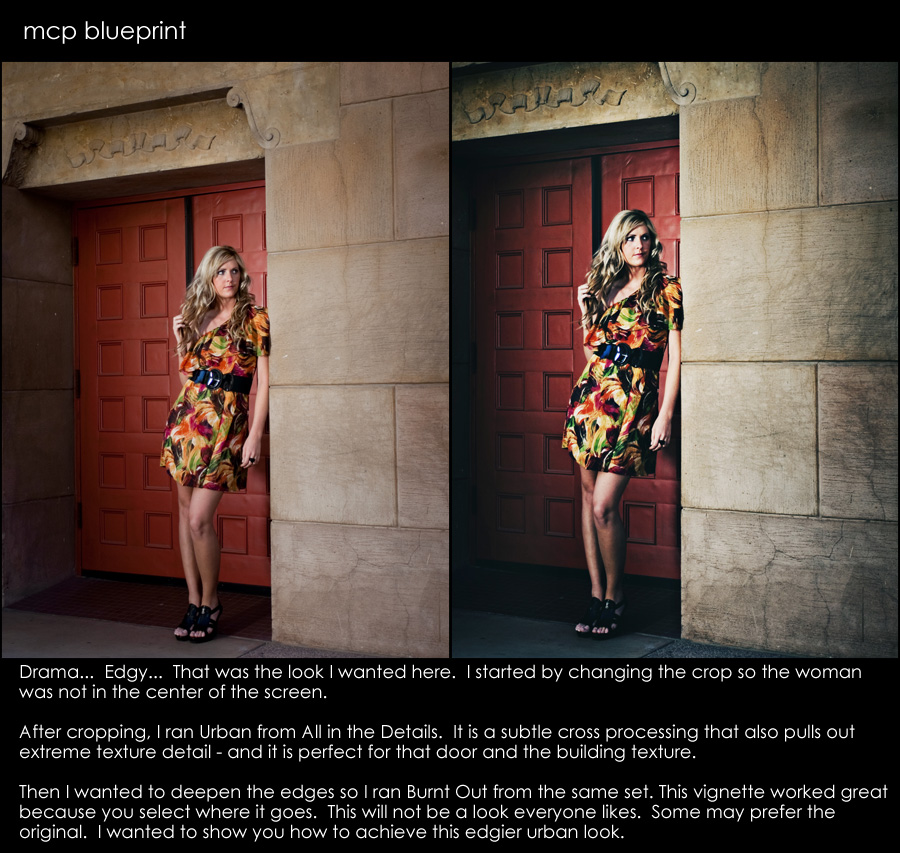
Blueprint: Add Drama to Your Edits
Sometimes I like to have a bit of drama in my edits. I would say that I add drama by bringing out details and adding contrast simultaneously. For this Blueprint, I wanted to create a really moody effect. Cropped 1st – yes – often you will hear that you should crop last. But rules are…
1000’s of Free Photoshop Textures
Textures can turn an ordinary photo into an extraordinary one when you use the right texture on the right image. Learn where to find thousands of free textures and also how to apply them to your photographs.

MCP Blueprint: A Cowboy Before and After
Here is another edit I did for my role as a contributor at I Heart Faces. This photo was submitted by Jenna Thomas. She felt the photo was a little bright and needed to be toned down a bit and she wished the colors were more vibrant. She also felt like it might be overexposed.…
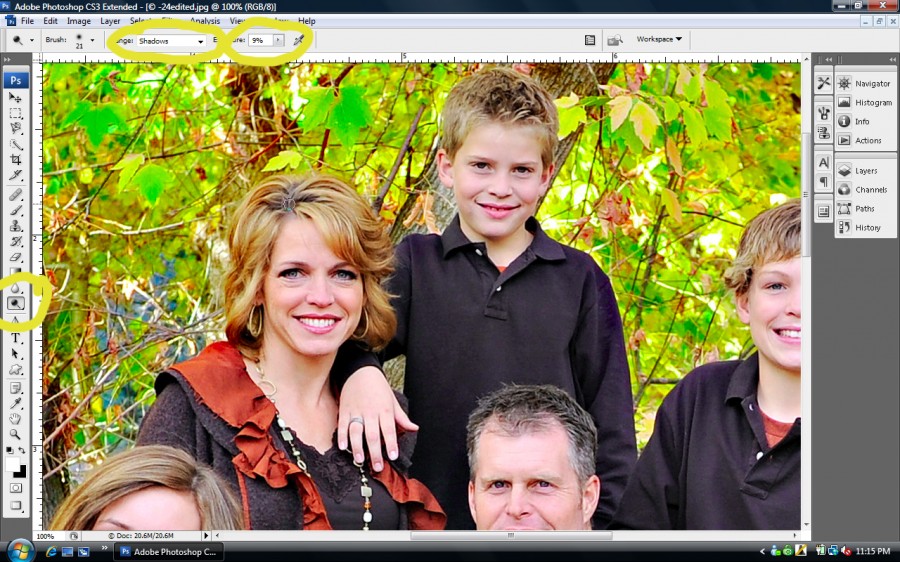
Fixing Roots & Hair Color in Photoshop
Fixing Roots & Hair Color in Photoshop: Have you ever wondered how to easily adjust the color of roots or even the color of hair in Photoshop? This tutorial will help you out. Thank you to Melissa Papaj for this super easy Photoshop tutorial teaching how to do a Quick Dye job in Photoshop. Once…
Blueprint – Subtle Edits for a BIG Impact
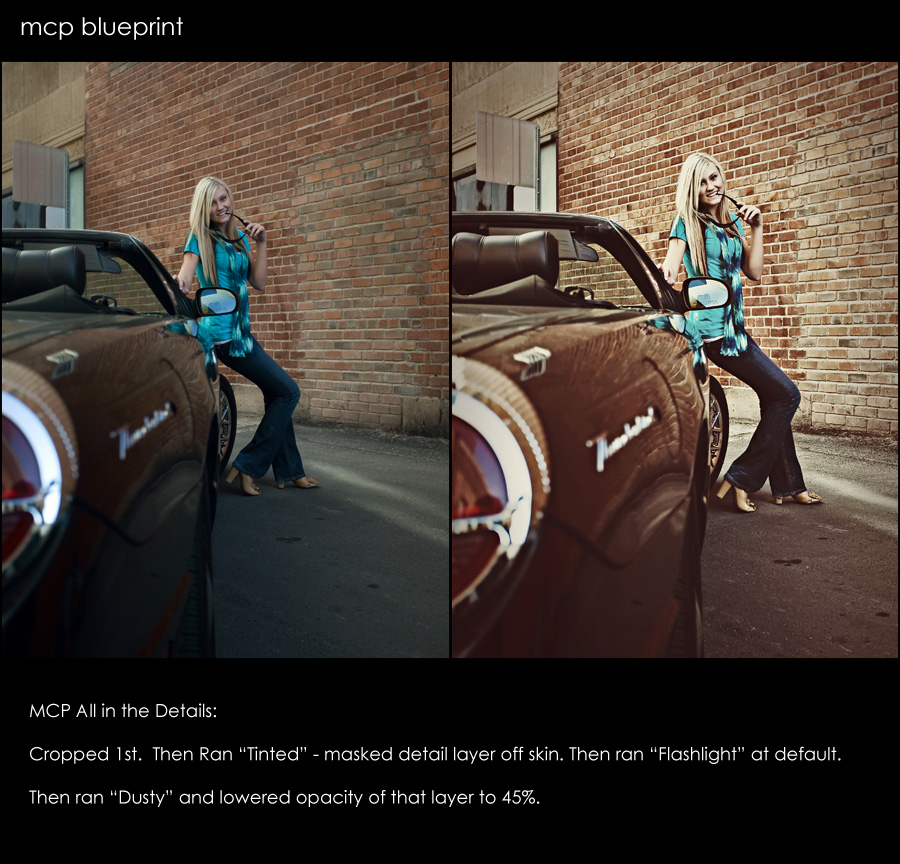
Some photos take a lot of editing, while others just need a few quick clicks of the mouse. Here is an edit that was done in about 30 seconds or less. Started by cropping. Then used “All in the Details” Tinted action. Masked detail layer completely off skin. Then used “All in the Details” Flashlight…
Blueprint: Fan Share {Bringing Your Background to Life}
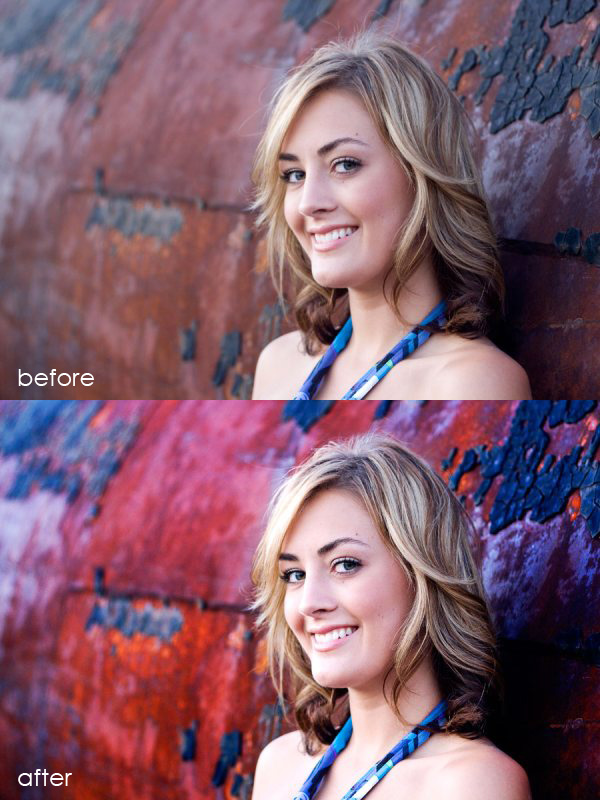
Andrea Lopez is a hobbiest photographer with future aspirations of going pro. She emailed to let me know how much she loves using MCP Photoshop actions and wanted to share this recent image and Blueprint. Blueprint: She edited the photo using the Quickie Collection action set Started with Crackle adjusted the opacity to 25% Then…

Blueprint: Senior Girl in the Fall on the Tracks {Fan Share}
This Blueprint was sent in by April Kuhlmann of Once In Every Life Photography. She wrote: “Fall is gorgeous here in Alabama right now! I took this shot last week late afternoon, out on a rural railroad track while during a Senior Portrait session. A reflector was used in this shot too for light bounce.…
Blueprint: A Mom or a Model? Some Fan Shares
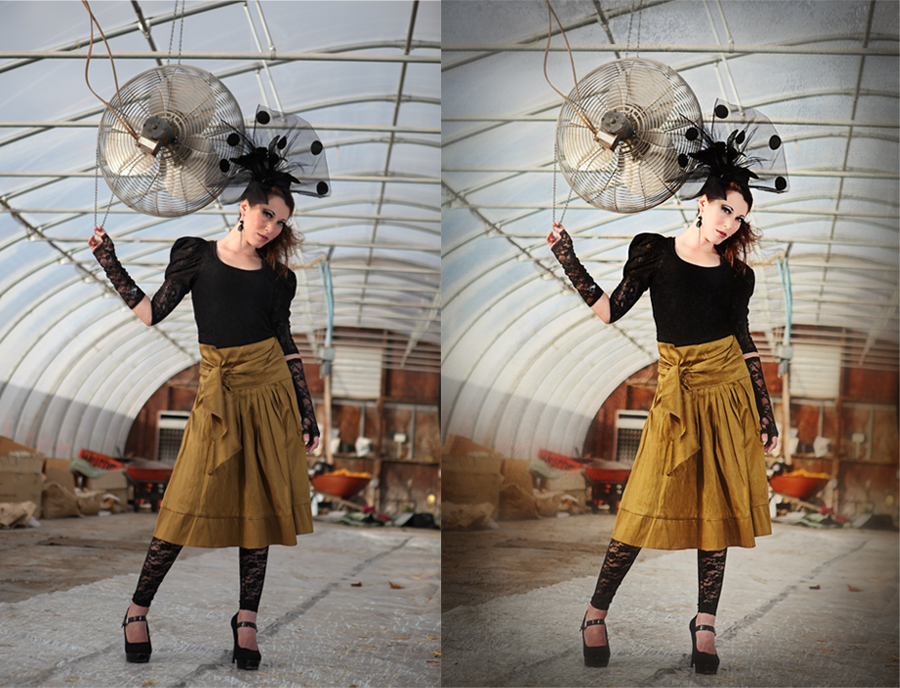
Thank you to Camilla Binks of Camilla Photography for this week’s Blurprints. I asked her the story about the model and these beautiful pictures and here is what she said, “This is my beloved sister, Noel. Isn’t she gorgeous!?!? She is a mother of two with her youngest being just 5 months old. I was…
Recent Posts








