
Clean Heartfelt Preteen Edit
Featured Products
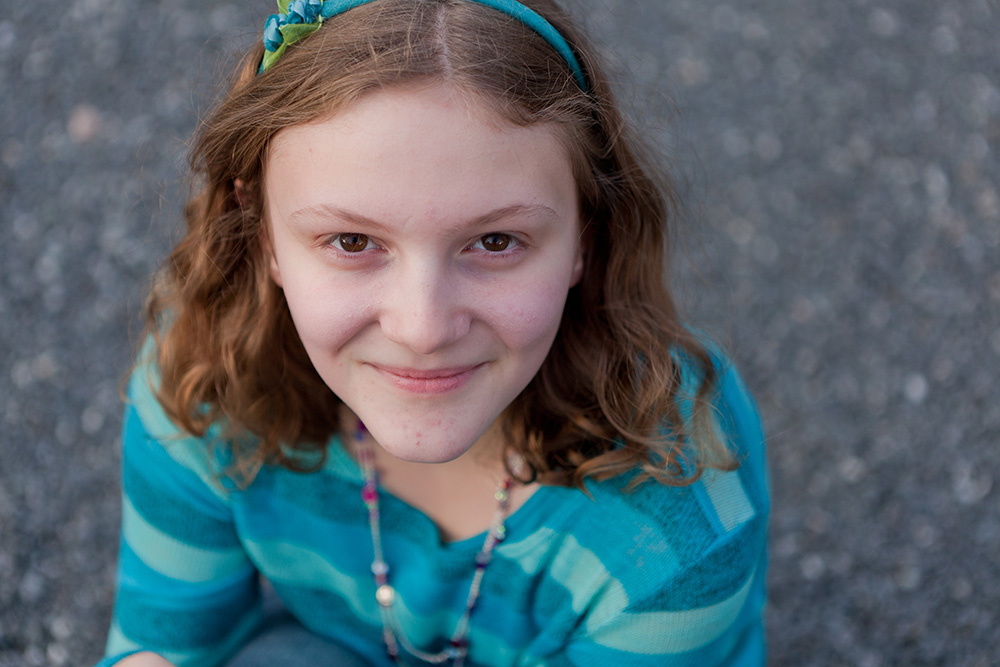
Before:
After:
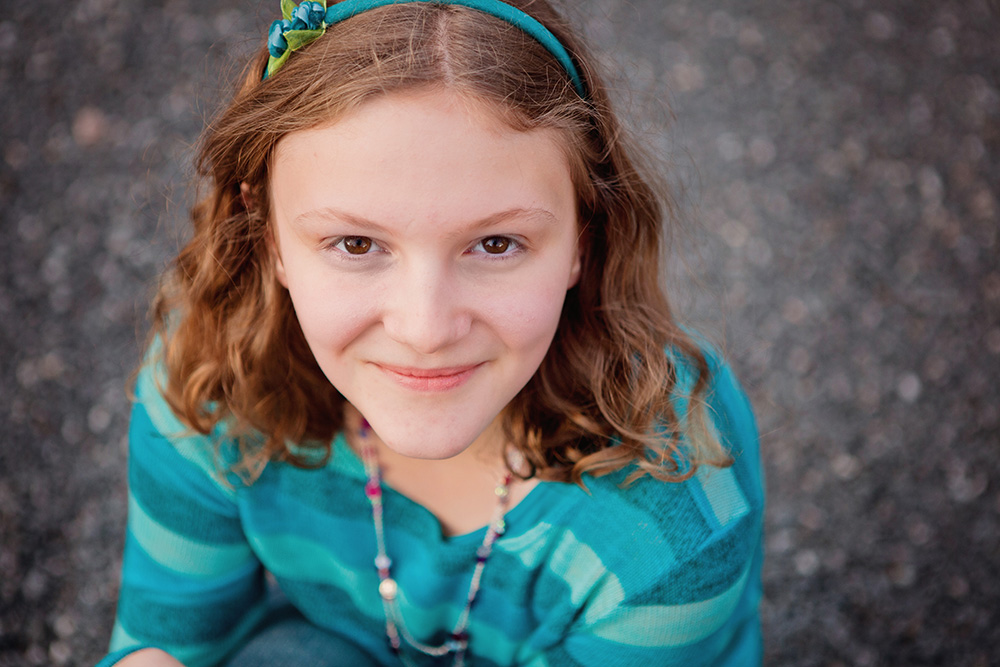
Photo Equipment & MCP Actions™ Products Used
Camera and Lens Used:[amazon_link id=”B001G5ZTLS” target=”_blank” ]Canon EOS 5D Mark II[/amazon_link] and [amazon_link id=”B0076BNK30″ target=”_blank” ]Canon EF 24-70mm f/2.8[/amazon_link]
ISO, Aperture, Shutter Speed:ISO 200, f/2.8, 1/400 sec
Software Used: Lightroom, Photoshop
Actions/Presets Used: Manual Edits Learned In MCP Online Workshops, Quick Clicks Lightroom Presets, Fusion Photoshop Actions
Extra Details: I adjusted white balance, exposure, highlights, and shadows in Lightroom. Once the image looked just right, I exported it to Photoshop. I ran the Color Fusion Mix and Match action set and turned on Heartfelt (in addition to One Click Color). I lowered the opacity of Heartfelt to about 20%. I also masked off her body on the the vignette layer. I added a curves adjustment layer to make very minor adjustments to her skin tone based on lessons learned in the MCP Color Fixing Class.
Next, I flattened the entire image and ran Exact-o-Sharp to sharpen her eyes slightly. I lowered the opacity substantially. I flattened again and then used a combination of the cloning tools to lightly touch her skin up and lighten blemishes, at the family’s request.
Credits:
Image Title: Preteen Girl
By: Jessica Rotenberg
Studio: Jess Rotenberg Photography
Website: http://www.jessrotenberg.com
Recent Posts



