
MCP Actions Projects

Five Looks – One Image – Using Photoshop Actions
Transform your images with our photoshop actions: get hazy tones of Spring, vivid colors of Summer, rich look of Autumn, or the frosty look of Winter.

Project MCP: November, Challenge #2 Highlights
The start of Daylight Savings means less daylight and less daylight means more low light photos. Capturing photos in low light can be tricky, but oftentimes makes interesting shadows and intense emotion. This week’s photo challenge was to take a “low light” photo. Here are a few highlights from the Flickr gallery this week: Submitted…

Getting The Look Of All Four Seasons Using Our Photoshop Actions
Transform your images with our photoshop actions: get hazy tones of Spring, vivid colors of Summer, rich look of Autumn, or the frosty look of Winter.

The MCP Four Seasons Photoshop Actions Package is NOW AVAILABLE!
The MCP Four Seasons Photoshop Actions Package is now available! Each of the 4 sets has 20+ unique seasonal actions including a special workflow base action + the bonus set of 25 extra fine-tuning actions. To learn more about the Four Seasons action set or to purchase, click here. Thank you! If spring mist, summer sunshine,…

Project MCP: Highlights for November, Challenge #1
November is Child Safety and Protection Month. Celebrating Child Safety and Protection month reminds us to check out everything from our homes, to the gear our kids use, to cyber safety. With kids you never want to leave anything to chance, as children are our legacy, our love and our future. This week the challenge was…

Project MCP: October, Challenge #5 Highlights and November Challenges Revealed
Halloween The clock is striking midnight The witch her spell has cast All fairies, ghosts and goblins Will be conjured from the past …

Project MCP: Highlights for October, Challenges Week #3 and Week #4
Along with colder weather, the month of October often brings colds and stomach viruses. I sincerely apologize for not posting the Project MCP Highlights for last week; however, I was a bit under the weather. This week you will be graced with highlights from both October challenge weeks #3 and #4. I love the colors…

New Lightroom Templates and Collages With MCP Lightroom Presets
MCP is making it quicker and easier to showcase your photos in print and for the Web using our new Lightroom Templates. Print Collages Layouts: With MCP Present It for Print Lightroom Presets, you’ll just click and drag images into the templates, customize and upload to your lab. Web Template Layouts: With MCP Display It…

5 Proven Tips to Master the Art of Self-Portraits
If you hate getting in photos and only like to get behind the lens, consider this challenge. Try taking self-portraits. Here’s tips on how.

Project MCP: Highlights for October, Challenge #2
It is officially October and I am eagerly awaiting Fall-like temperatures. Each morning I tune into the weather forecast anxiously awaiting cooler temperatures and the opportunity to pull out those cozy sweaters and boots. Unfortunately, temperatures are still reaching the 80’s in my part of the country, but I have seen the whispers of fall…

Project MCP: Highlights for October, Challenge #1
October signals the middle of the Fall season (in most parts of the world) and as we head towards the shortest day of the year (the Winter Solstice in December) the days will continue to grow shorter, casting long shadows. Shadow and silhouette photos evoke a sense of mystery and emotion because it leaves part…
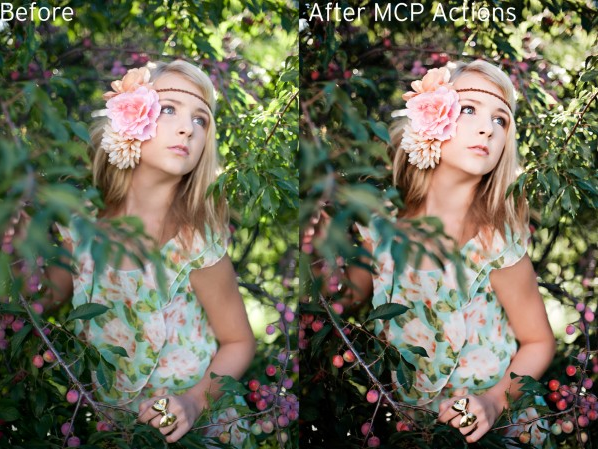
How to Use Photoshop Actions to Enhance an Already Great Photo
Photoshop actions can both fix and enhance photos. The more dramatic examples are “saves” but today we’ll show you how to make what you have even better.
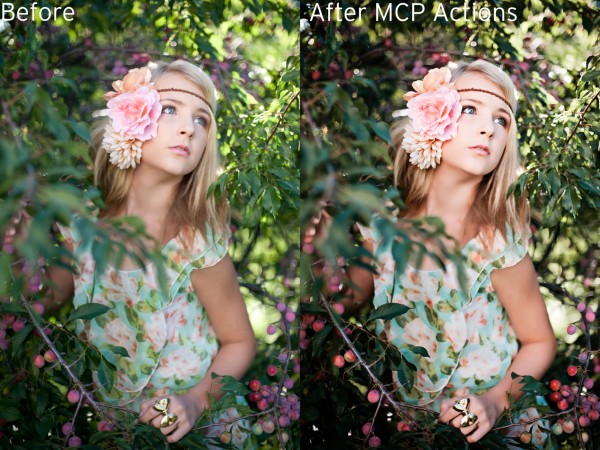
How to Use Photoshop Actions to Enhance an Already Great Photo
Photoshop actions can both fix and enhance photos. The more dramatic examples are “saves” but today we’ll show you how to make what you have even better.
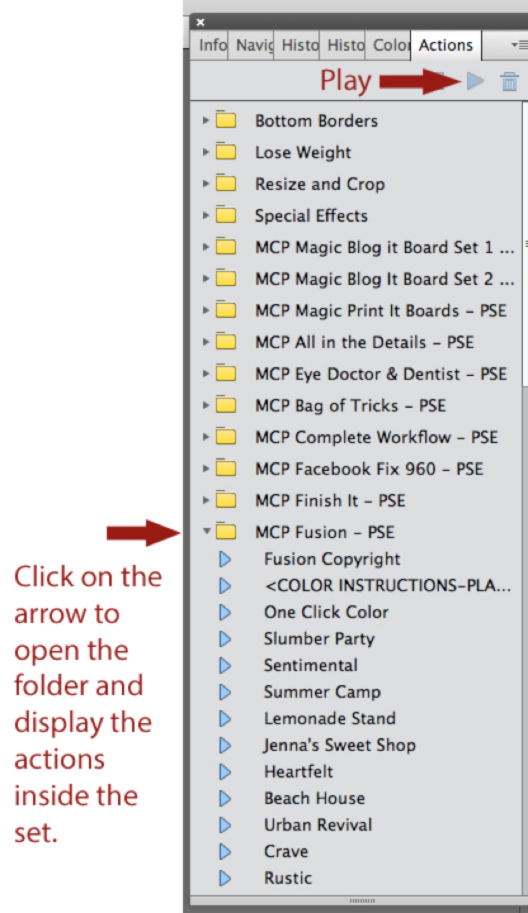
Elements 11 Makes Installing and Using Photoshop Actions Easier
If you use PS Elements for editing, you may want to upgrade to Elements 11, the best version Adobe has made when it comes to using Photoshop actions.

Project MCP: Highlights for September Challenge #4 and October Challenges Revealed
Happy First Day of Fall! Turns out it is the perfect time to capture those special Fall moments in full color. As the days become shorter, the leaves begin to change and a golden glow surrounds the dawn and dusk. This week’s challenge was to capture a photo of Fall colors and I was so…

Project MCP: Highlights for September, Challenge #3
The days are becoming a little shorter, the weather is much cooler in the early morning and late evening (even though it was still 83 degrees in the middle of the afternoon), school is back in session, Sunday football has begun and the leaves are just beginning to change colors and fall to the ground.…

Project MCP: Highlights from September, Challenge #2
To teach – 1. to impart knowledge of or skill in; give instruction in 2. to impart knowledge or skill to; give instruction to This week’s challenge was to capture a photo that illustrates the word “teach” or “teacher”. There were several beautiful interpretations in the Flickr gallery. Here are the Project MCP team’s favorites: Submitted by austinsGG Submitted by julieamankin Submitted by Els_stra Submitted by Tonionick1 Great work everyone! Thank you…

Cook Up Better Food Photos With This Lightroom Presets Recipe
Cook up better images with this editing recipe.
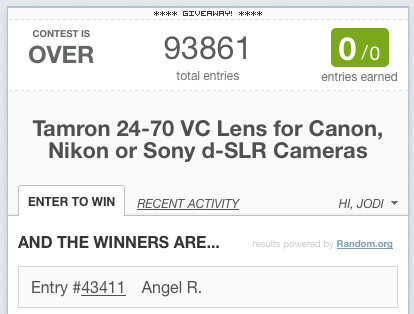
Winner of the Tamron 24-70mm Lens
The winner of the Tamron 24-70mm lens is: Angel Rangel. Congratulations! We have emailed you to confirm your prize. For everyone else, check back this Fall as we plan to do one more giveaway with this lens. And if you love actions and presets, we have lots of other exciting news coming this fall as well.

Project MCP: Highlights from September, Challenge #1
September is one of my favorite months. It means cooler weather, shorter days, vibrant colors and of course, back to school. As an educator, I always look forward to the beginning of a new school year. It is a chance for a fresh start; a year full of possibilities. This week’s challenge was to capture…

Creating a Retro 50s Image in Photoshop
Step-by-Step Guide to Creating a Fun Retro 50’s Image Using Your Photos and Photoshop Step 1: The first step is to open up a new Photoshop document and drag the photo on to a new layer. Step 2: Next, erase the background of the original photo using the eraser tool, or selecting the subject using…
Recent Posts








