
MCP Actions Projects
MCP All in the Details is NOW Available for Photoshop Elements
MCP All in the Details is NOW Available for Photoshop Elements Elements users, this is it. The MCP “look” can now be yours! The look that gives you rich, deep color conversions, high contrast, amazing details, plus that high dynamic range that makes every important part of your image pop. All in the Details is…

Interview with Audrey Woulard, Professional Children’s Photographer
Interview with Audrey Woulard, Professional Children’s Photographer Last week, I had the opportunity to interview the talented and popular Chicago Children’s Photographer, Audrey Woulard. She is known for her natural light portraiture and her ultra sharp, colorful, with shallow depth of field photography. MCP Facebook Fans sent in questions and many attended this open dialog. …

MCP Project 52 – Features from Week 4 + Theme for Week 5
Welcome to our look back at week 4 of the MCP Project 52 and the launch of the theme for the coming week. This week has been an exciting one for MCP Project 52 as not only have we had loads of great submissions to the theme of Soothing Repetition we’ve also hit two big…

Child Photography: Blueprint of a Successful Paint Session
Child Photography: Blueprint of a Successful Paint Session I realize that my best sessions are always the ones where I truly have fun. Where I laugh as much (if not more) as the kids. Being silly is part of my style, and it’s why I enjoy being a kids’ photographer. BUT it is very easy…

MCP Project 52 – Features from Week 3 + Theme for Week 4
It’s already time to recap week 3 and then move into week 4, where is the time going? . We have had another week of fabulous photos being added to the MCP Project 52, with so many wonderfully different interpretations of the theme Shades of Grey, it’s been really hard to choose our top ten.…

Crave Photography * Before and After Edit with MCP Photoshop Actions
Crave Photography * Before and After Using MCP Photoshop Actions This photo was a little washed out and needed some color and depth! Here is the blueprint using Photoshop actions to get this look! Started with Magic Light and Magic Dark from the Bag of Tricks action set. I added light with a low opacity…
MCP Project 52 – Features from Week 2 + Theme for Week 3
Wow! It’s been a tremendous week for MCP Project 52! We have over 2,100 participants and have seen nearly 1,000 photos added this week! It’s a pleasure to be a moderator for MCP Project 52, as I get to see the submissions as they roll in each day! If you want to join in, check…
Removing the “Dull” From Your Photos Using Photoshop Actions
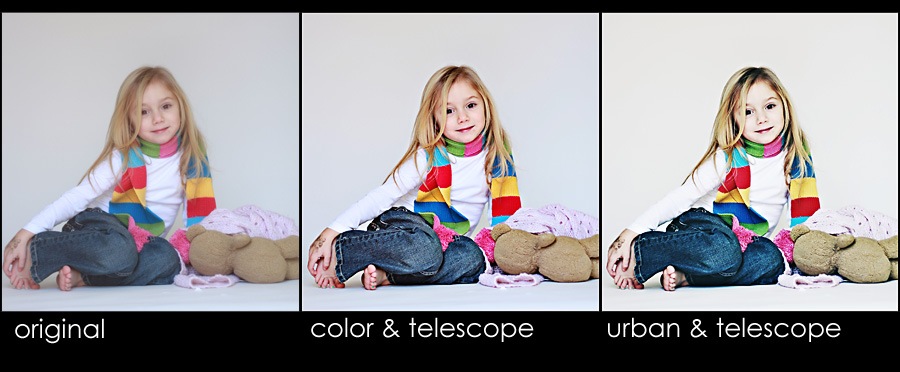
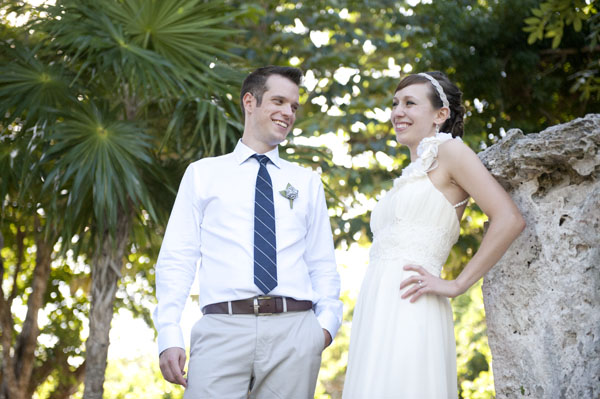
Removing the “Dull” From Your Photos Using Photoshop Actions Most photographers will find that even when they nail the exposure in camera, there may be a slight dull look to their images. This can easily be fixed with just a few steps in your post processing workflow. Today’s before and after Photoshop Actions Blueprint, by…

Project 52 Features from Week 1 + Theme for Week 2
Wow! What a response we’ve received!? And it was a short week, you all were only allowed half of the amount of time that you will have each week from here on out and we’ve seen so many amazing shots. We already have over 1,300 members of our Flickr group and we had more that…

Easy Photo Editing and Better Images with Photoshop Actions
Ideally, as a photographer, we want to nail exposure in camera. It makes editing easier and faster – and it creates better images. But what if you failed to get perfect exposure while shooting? In Photoshop, you can use Photoshop actions, which automate the editing process. Another option to learn to use Curves Adjustment Layers. …

MCP Project 52: One Photo a Week – Join in Anytime!
Envision shooting just for yourself. Every week for up to 52 in 2011, you can join MCP Project 52. Get inspired by photographers across the globe and participate with our weekly suggested themes. Watch for new themes every Saturday and see 10 feature images.

Winner of the ONA Leather Camera Bag
Congratulations to the winner of the ONA Nevis camera bag: Entry number: #1248 – Jodi Krautkramer Thank you to all who participated – more great contests to come!!!

My 15 Second Photoshop Edit * For White Studio Backdrop Look
How to achieve a 15 Second Photoshop Actions Edit * For White Studio Backdrop Look One of my customers, Isabel San Jose, emailed me with her dilemma. She lives in Manila, Philippines and did a commercial product shoot for a clothing company. She has 100+ photos to edit from their upcoming line and her customers…
How to Photograph Tonight’s Lunar Eclipse
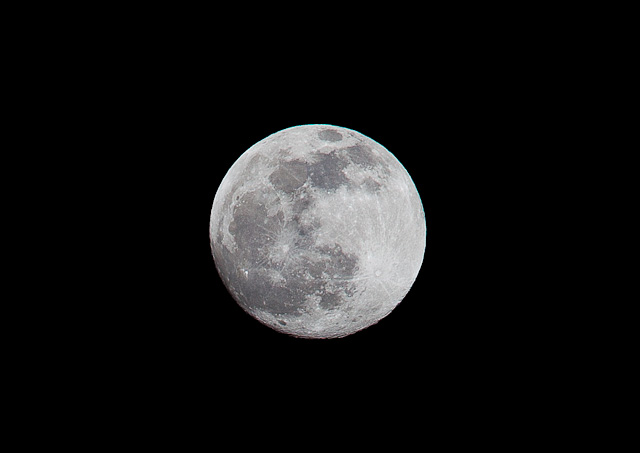
Tonight will be the final lunar eclipse of the year. This will be the second lunar eclipse of 2010 but the only total lunar eclipse. During a total lunar eclipse the moon change change color from very dark gray, to bright orange to blood orange. A lunar eclipse is completely safe to watch…
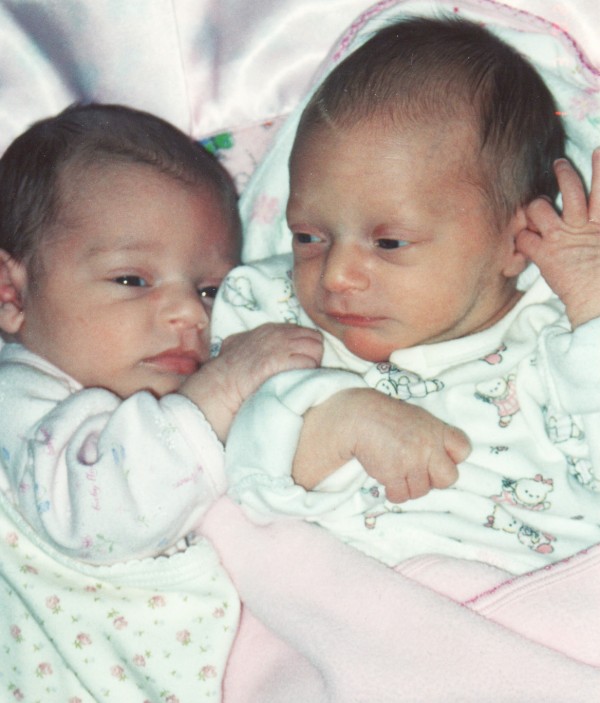
9 Years Old * Happy Birthday to Ellie and Jenna
9 years ago today, I drove myself to the hospital, as I assumed I would be getting routine tests. I was feeling very large, uncomfortable, and unsure what was next. Hours later, I was handed the most amazing 2 miniature people in the whole world, Ellie and Jenna. At approximately 5 pounds each, they were…
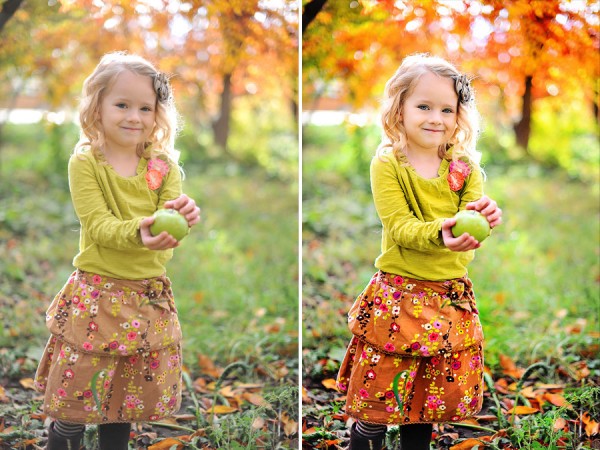
Color Pop Photoshop Actions: Blueprint by Crave Photography
Check out this amazing before and after Blueprint by Andee Tate of Crave Photography. Her work is just beautiful and inspiring! She edited this photo using the following mix of Photoshop actions: All in the Details – Details {Extreme Color} – color brushed on at 70% opacity Magic Skin: Used the Powder Your Nose action…
Pricing Help + Winners of the Easy as Pie Pricing Guide for Photographers
Pricing photography? Last week was Pricing Week here at MCP Actions Blog. Thank you to all who attended the live chat with Alicia Caine from Easy as Pie and Served Up Fresh. I hope you learned a lot about pricing. I plan to have the main questions and answers from that session up in about…
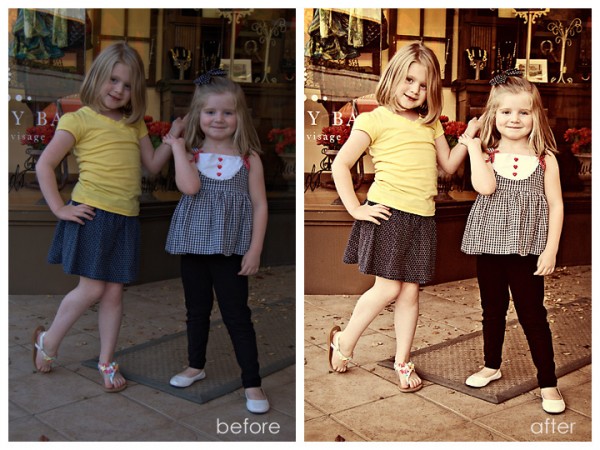
Vintage Photoshop Actions with a Twist of Contrast & Color Pop
This Photoshop actions Blueprint Fan Share was submitted by Amber Snead, who wanted a higher contrast vintage look. The step-by-step Blueprint: This photo was underexposed and lacked contrast. I started by using the Quickie Collection to address these issues: Ran Extreme Fill Flash action to brighten the entire photo Used Color Flair – this action…

Play the MCP Name Your Price Game for Photographers
Play the MCP “NAME YOUR PRICE GAME” for Photographers If you are a professional photographer, please enjoy playing this game. If you are looking at your prices and wonder if they are on the high end or low end, you will want to check out the game. And if you are just starting your business,…

The Holiday Disaster – Award Winning Story by Ellie Friedman, Age 8
One of the proudest moments a mom can have is when she watches her daughter reach for her dreams – and she accomplishes them! One of my twin girls, Ellie, dreams of being an author when she grows up. She envisions writing and illustrating children’s books, non-fiction stories, and even realistic fiction. If she is…

Getting Vivid Color Pop & Contrast With Photoshop Actions
This Photoshop actions Blueprint Fan Share was submitted by Kattrina Holt of Sassafrass Photography, who loves vibrant color pop and contrast in her images. Her step-by-step Blueprint: I opened the image in Lightroom 2 and warmed it up Then I opened it in Photoshop CS5 and used the MCP action set Bag of Tricks. I…
Recent Posts








