
Photoshop

Portrait Photography Trends & Fads: The Good, The Bad, The Ugly
Learn some of the latest photography crazes – also known as fads. You will love some. You will hate some. Props, poses, and anything that is very popular for a short period of time is defined as a fad. See what photographers are shooting now.

Finish It Photoshop Actions Set Now Available ~ Changing the Way You Prepare and Display Images on the Web
If you want to save time and show beautiful web ready images on your Website, Blog, Facebook, and Flickr, the MCP Finish It Photoshop Actions set is an essential tool for photographers. The actions are handcrafted to give you unlimited ways to brand your photos. From a variety of styles, to infinite color changes, this…
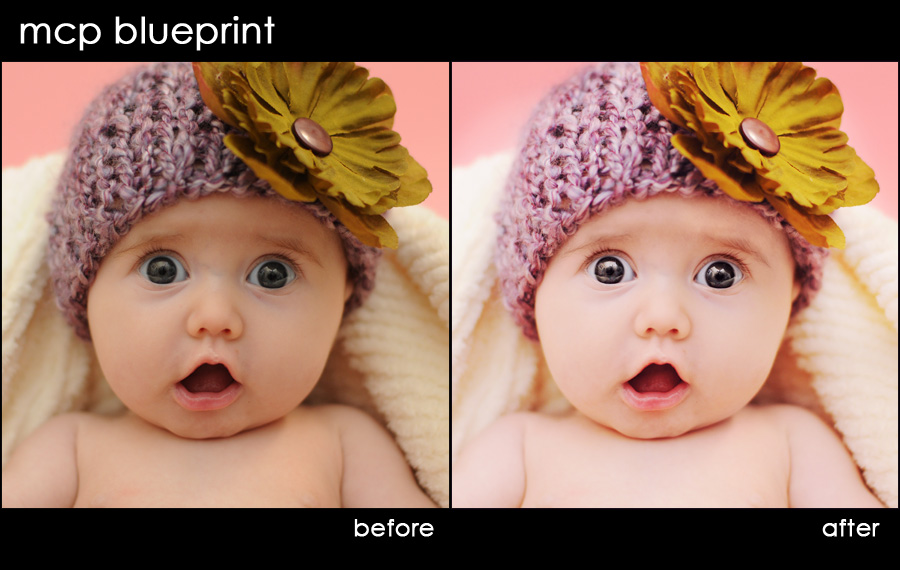
Blueprint: Eyes “Wide” Open
Shawnee of Photography by Shawnee sent in this before shot and wanted to see how I would edit it with the Bag of Tricks action set. I used both this set and the Eye Doctor to get to the after image. I started with exposure. I used the Bag of Tricks – Magic Midtone Lifter.…
New MCP Actions Team Member – Focusing on Photoshop Actions for Elements
MCP Actions has hired Erin Peloquin as a consultant and to be part of the MCP team. I kept this top secret for the past 2 months so that I could surprise you. Erin’s specialty is Adobe Photoshop Elements. And as you can guess, she will be working on converting some MCP actions sets for…
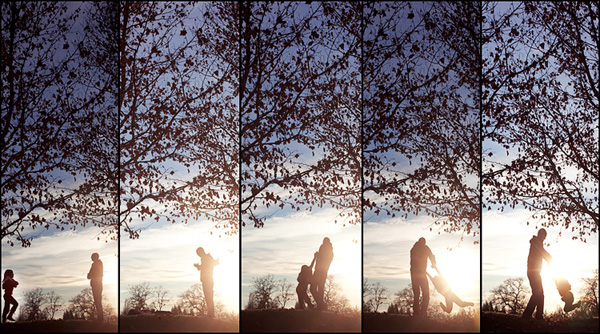
From Ebayer to Photographer | Interview with Heather Armstrong
Tell us a little about you, your family, and your kids? My name is Heather Armstrong. I couldn’t imagine living in a better moment than now! I love my life & all that it as become! I am a wife. I have three amazing kids–Conner-11, Kira-8, & Madison-7. And I am photographer. My website is…

What is the Best File Format to Save Your Photos In?
When editing in Photoshop, what is the best format to save photos in? Which makes the most sense for photographers? To learn which file formats are best and which I use, check out my guest post on the Digital Photography School. Digital Photography School is the publisher of the Photo Nuts and Bolts book. If…
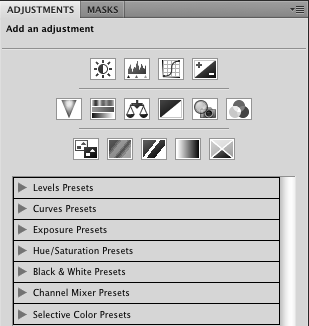
10 Reasons You NEED to use Adjustment Layers in Photoshop
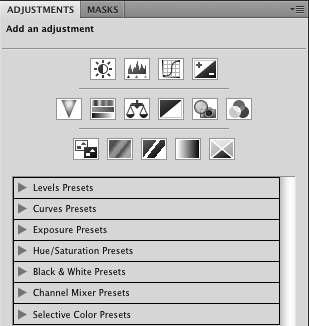
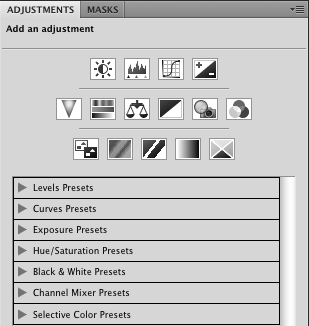
10 reasons you need to use adjustment layers instead of duplicate layers when editing in Photoshop 1. Duplicating the background doubles file size. Using an adjustment layer does not. This makes for smaller files and uses less computer memory. 2. When you duplicate the background layer, you create pixels that can cover other layers. When…
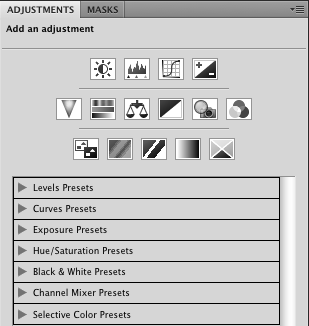
10 Reasons You NEED to use Adjustment Layers in Photoshop
10 reasons you need to use adjustment layers instead of duplicate layers when editing in Photoshop 1. Duplicating the background doubles file size. Using an adjustment layer does not. This makes for smaller files and uses less computer memory. 2. When you duplicate the background layer, you create pixels that can cover other layers. When…
10 Reasons You NEED to use Adjustment Layers in Photoshop
10 reasons you need to use adjustment layers instead of duplicate layers when editing in Photoshop 1. Duplicating the background doubles file size. Using an adjustment layer does not. This makes for smaller files and uses less computer memory. 2. When you duplicate the background layer, you create pixels that can cover other layers. When…
10 Reasons You NEED to use Adjustment Layers in Photoshop
10 reasons you need to use adjustment layers instead of duplicate layers when editing in Photoshop 1. Duplicating the background doubles file size. Using an adjustment layer does not. This makes for smaller files and uses less computer memory. 2. When you duplicate the background layer, you create pixels that can cover other layers. When…
Blueprint: That Cute, Fast 1 Year Old
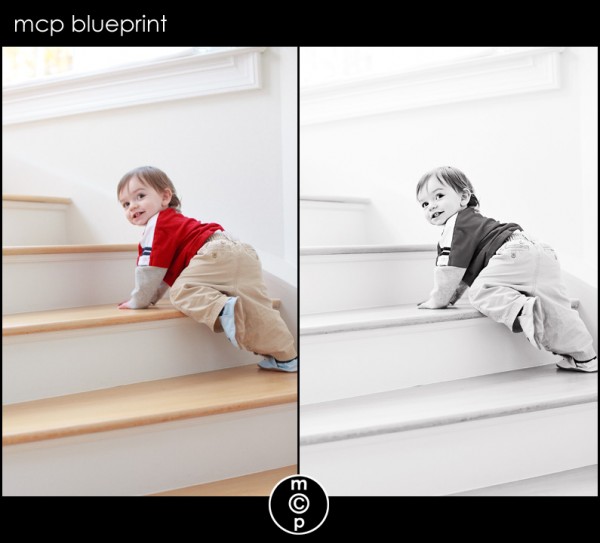
After my post on Pioneer Woman’s site about challenges photographing a 1 year old, I got a lot of questions. What lens, what settings, how did I get the b&w, etc… I figured the best way to answer these was in a blueprint. I shot this image with my Canon 5D MKII with the Canon…

12 Tips to Break Your Photography Rut
Occasionally we get burnt out. Here are 12 things you can do to get out of your photography rut. After trying these ideas you’ll pick up your camera and shoot incredible images again.
MCP’s Answers to the December FAQs
A while back, when my email box was overrun and I was unsure how to answer every question, I decided I would do monthly FAQ posts. I have spent the last few months compiling a comprehensive list of FAQs for my new website so I thought I would share these with you first. These are…

Tips for Photographing Christmas Lights
Thank you to Julie McCullough for these great tips on taking snapshots of kids in front of the light of the Christmas Tree this holiday season. Tips for Photographing Christmas Lights To me the beauty of the Christmas Tree shines through in pictures when the tree’s lights are on and that requires some dim or…
Blueprint: Add Drama to Your Edits
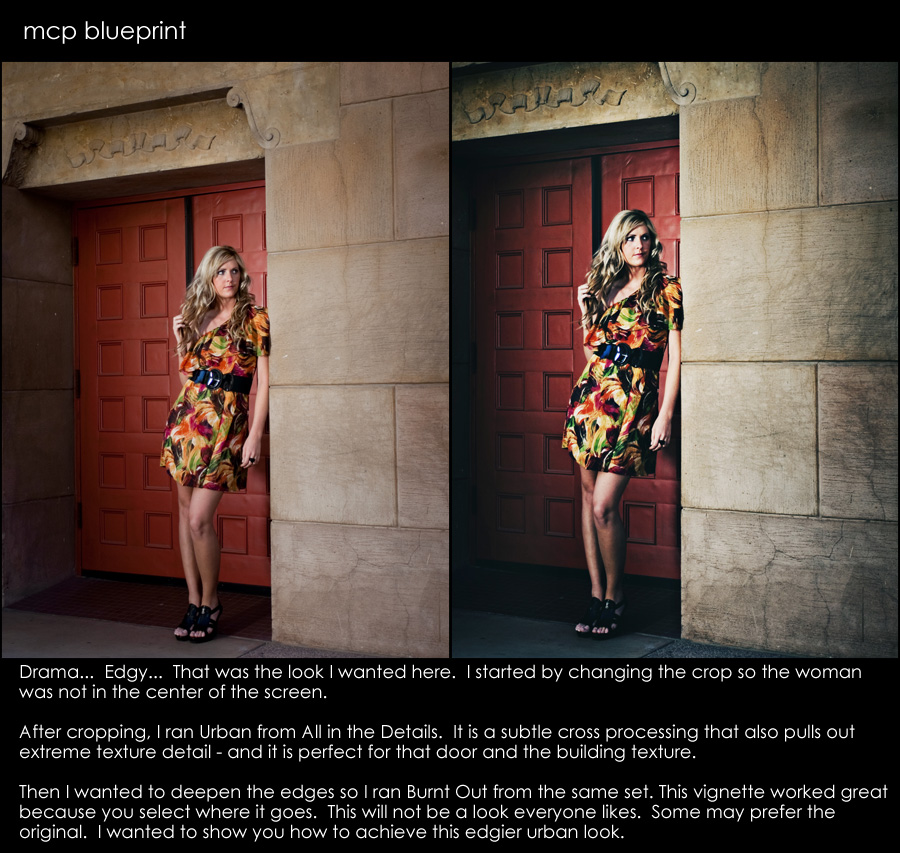
Sometimes I like to have a bit of drama in my edits. I would say that I add drama by bringing out details and adding contrast simultaneously. For this Blueprint, I wanted to create a really moody effect. Cropped 1st – yes – often you will hear that you should crop last. But rules are…
1000’s of Free Photoshop Textures
Textures can turn an ordinary photo into an extraordinary one when you use the right texture on the right image. Learn where to find thousands of free textures and also how to apply them to your photographs.
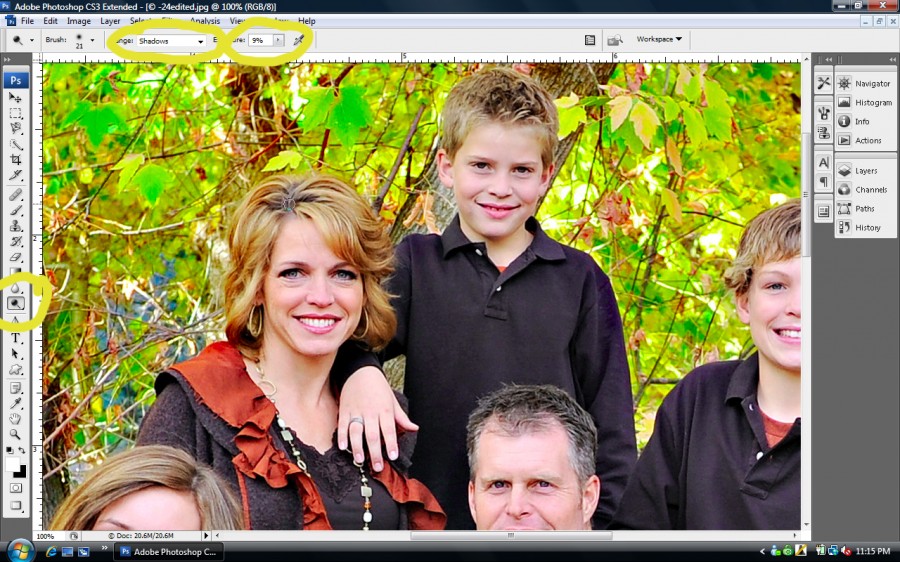
Fixing Roots & Hair Color in Photoshop
Fixing Roots & Hair Color in Photoshop: Have you ever wondered how to easily adjust the color of roots or even the color of hair in Photoshop? This tutorial will help you out. Thank you to Melissa Papaj for this super easy Photoshop tutorial teaching how to do a Quick Dye job in Photoshop. Once…
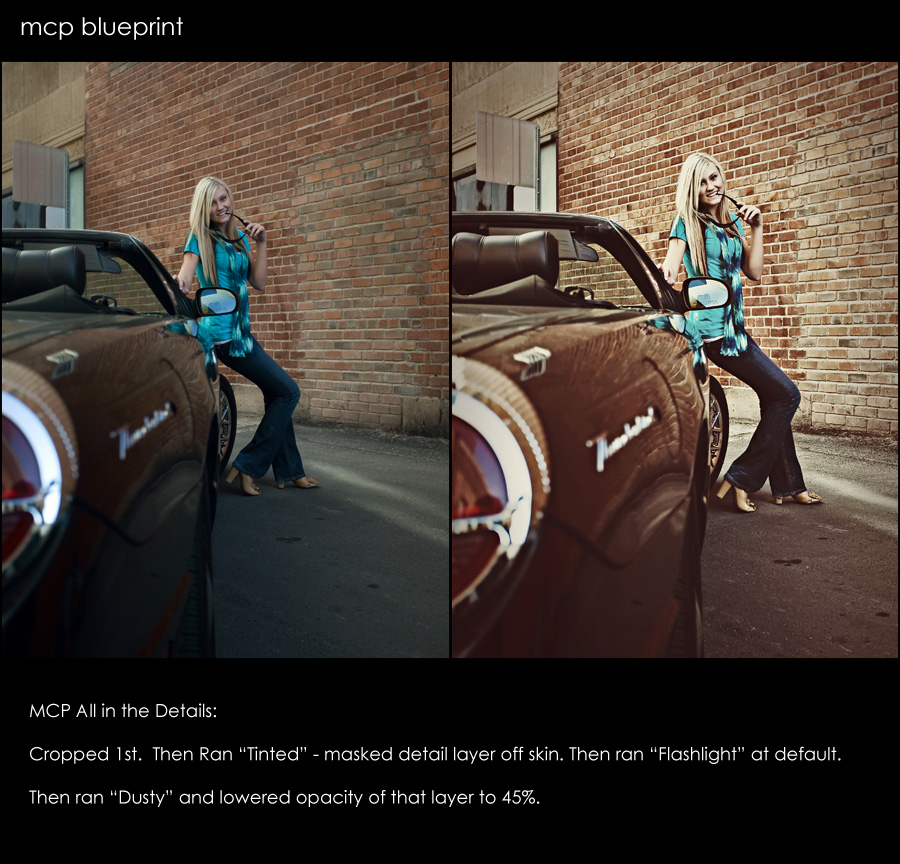
Blueprint – Subtle Edits for a BIG Impact
Some photos take a lot of editing, while others just need a few quick clicks of the mouse. Here is an edit that was done in about 30 seconds or less. Started by cropping. Then used “All in the Details” Tinted action. Masked detail layer completely off skin. Then used “All in the Details” Flashlight…
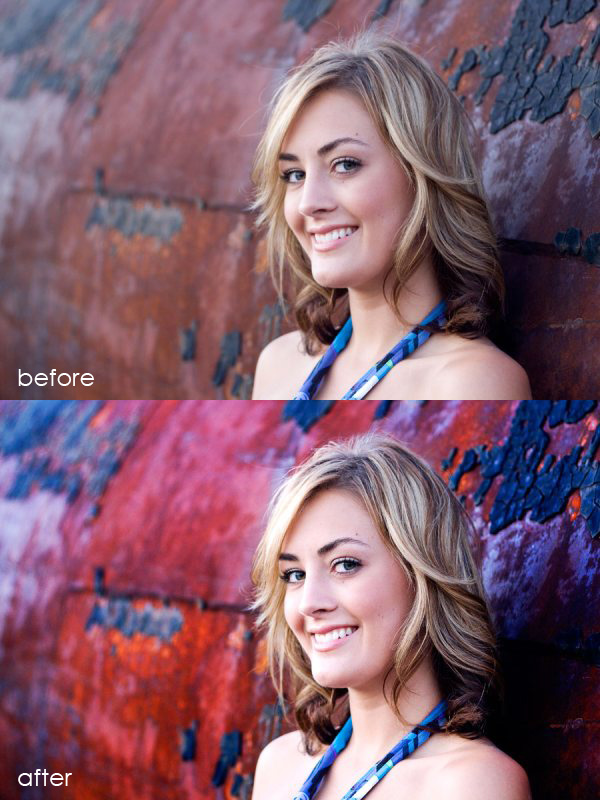
Blueprint: Fan Share {Bringing Your Background to Life}
Andrea Lopez is a hobbiest photographer with future aspirations of going pro. She emailed to let me know how much she loves using MCP Photoshop actions and wanted to share this recent image and Blueprint. Blueprint: She edited the photo using the Quickie Collection action set Started with Crackle adjusted the opacity to 25% Then…
Where do you want to be 5-10 years from now?
If you can answer the questions, “what do you want to be doing in 5 years?” or “where do you want your business to be in 10 years?” then you and I have little in common, at least as it relates to planning my business and my life. Prior to my life as a Photoshop…

Blueprint: Senior Girl in the Fall on the Tracks {Fan Share}
This Blueprint was sent in by April Kuhlmann of Once In Every Life Photography. She wrote: “Fall is gorgeous here in Alabama right now! I took this shot last week late afternoon, out on a rural railroad track while during a Senior Portrait session. A reflector was used in this shot too for light bounce.…
Recent Posts








