
Deep Black and White Edit
Featured Products
-
Sale!
 Essential Photoshop Actions
Makeup Toolkit Premium Photoshop Action
Original price was: $79.00.$57.00Current price is: $57.00. -
Sale!
 Essential Photoshop Actions
Fusion™ Photoshop Actions
Original price was: $79.99.$58.00Current price is: $58.00. -
Sale!
 Essential Photoshop Actions
Bag of Tricks™ Photoshop Actions Set
Original price was: $69.99.$51.00Current price is: $51.00. -
Sale!
 Essential Photoshop Actions
Newborn Necessities™ Newborn Baby Editing Photoshop Actions Set
Original price was: $39.99.$29.00Current price is: $29.00. -
Sale!
 Essential Photoshop Actions
All in the Details™ Photoshop Actions Set
Original price was: $69.99.$51.00Current price is: $51.00. -
Sale!
 Essential Photoshop Actions
Complete Workflow™ Photoshop Actions Set
Original price was: $49.99.$36.00Current price is: $36.00. -
Sale!
 Essential Photoshop Actions
Inspire™ Photoshop Actions
Original price was: $99.99.$72.00Current price is: $72.00. -
Sale!
 Essential Photoshop Actions
Portrait Suite Frequency Separation Photoshop Action
Original price was: $63.99.$47.00Current price is: $47.00.
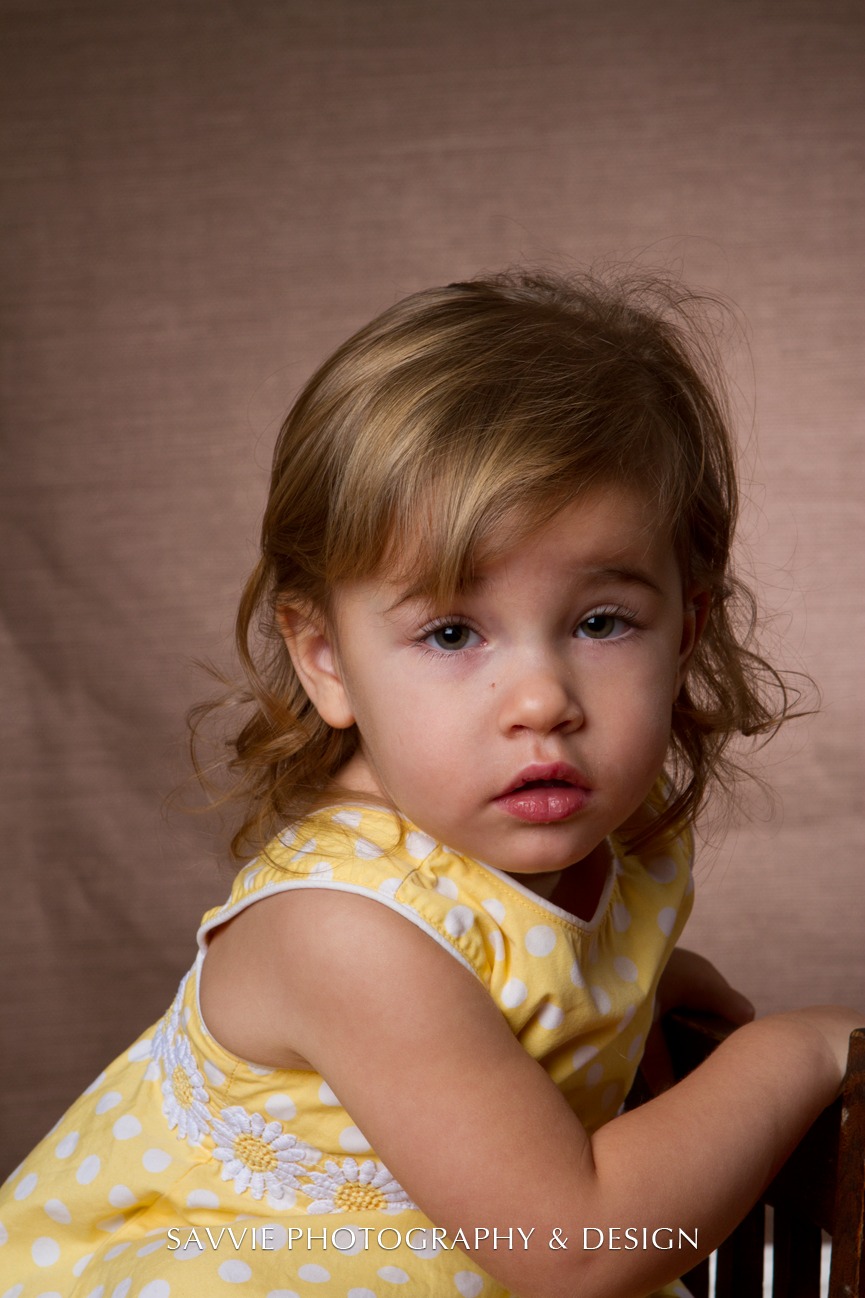
Before:
After:
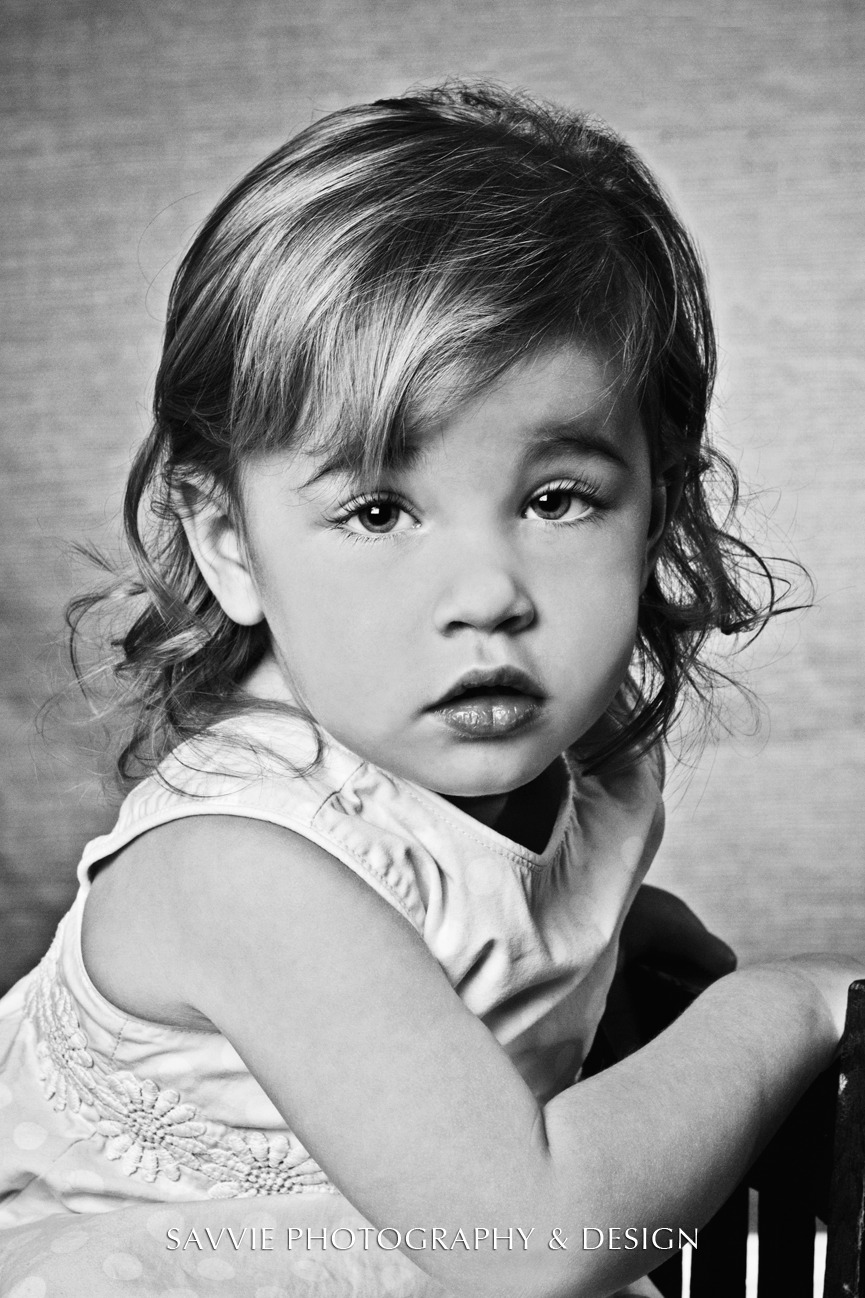
Photo Equipment & MCP Actions™ Products Used
Software Used: Photoshop
Actions/Presets Used: Bag of Tricks Photoshop Actions, Fusion Photoshop Actions
Extra Details: First, I have to say it was really hard for me to purchase any photoshop actions; however, I’m so glad I did. MCP actions are such a great tool to help create beautiful images and save enormous amounts of time. I use MCP actions some way or another for every photo I take or post process.
In the photo above I used MCP actions Bag of Tricks: Magic Midtone Lifter and Magic Color Finder (intense) and Fusion Rustic, and then converted to B&W. When editing my images I like to go through the actions I have purchased (which are all from MCP) to see the creative effect it will have and then I use those actions I picked for the rest of the photos in that session (if all in same location). I always open each of my images in photoshop and first clean the face(s) up with Photoshop tools, then I run the MCP actions that I have chosen to use and adjust opacity and/or use layer mask (Very Important) to lightly add or take away from a action. Then I finish with my own little twists.
I wish MCP would develop an action to help with my writing.
Long story short I am a graphic designer graduate with 7 years on the job experience and would say I’m highly skilled in mostly all adobe products. I love having total control of all my photos and work so someone else’s work flow was a hard purchase for me….I’m so glad I did!!! MCP actions save me sooooo much time in editing photos and has had fantastic result!!! So no matter what skill level your at as a photographer I highly recommend any of the actions MCP offers.
I’m sorry….I know how bad written that all was but I’m such a bad writer and my wife is not around to proof!
Credits:
Image Title: Hall’s Little Angel
By: Michael Zarogoza
Studio: Savvie Photography & Design
Website:
Recent Posts








