
Turning Image Into A Silhouette
February 26, 2014/
Last Updated March 23, 2020
Featured Products
-
Sale!
 Essential Photoshop Actions
Makeup Toolkit Premium Photoshop Action
Original price was: $79.00.$57.00Current price is: $57.00. -
Sale!
 Essential Photoshop Actions
Fusion™ Photoshop Actions
Original price was: $79.99.$58.00Current price is: $58.00. -
Sale!
 Essential Photoshop Actions
Bag of Tricks™ Photoshop Actions Set
Original price was: $69.99.$51.00Current price is: $51.00. -
Sale!
 Essential Photoshop Actions
Newborn Necessities™ Newborn Baby Editing Photoshop Actions Set
Original price was: $39.99.$29.00Current price is: $29.00. -
Sale!
 Essential Photoshop Actions
All in the Details™ Photoshop Actions Set
Original price was: $69.99.$51.00Current price is: $51.00. -
Sale!
 Essential Photoshop Actions
Complete Workflow™ Photoshop Actions Set
Original price was: $49.99.$36.00Current price is: $36.00. -
Sale!
 Essential Photoshop Actions
Inspire™ Photoshop Actions
Original price was: $99.99.$72.00Current price is: $72.00. -
Sale!
 Essential Photoshop Actions
Portrait Suite Frequency Separation Photoshop Action
Original price was: $63.99.$47.00Current price is: $47.00.
Before:
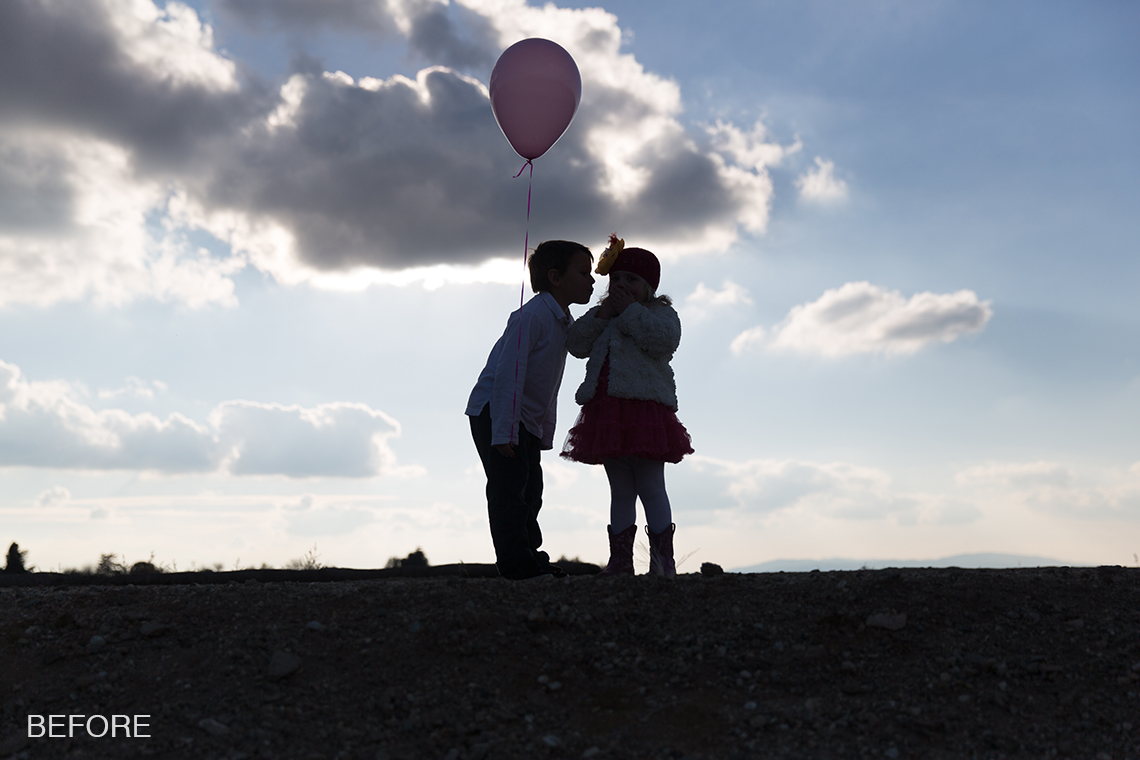
After:

Photo Equipment & MCP Actions™ Products Used
Software Used: Lightroom
Actions/Presets Used: Illuminate Lightroom Presets, InFusion Lightroom Presets
Extra Details: 1. Clicked One Click Color Base with Highlight Protection – 100%
2. Clicked on Enchanting 3 to add toning
3. Clicked on Overexposure 3 to darken
4. Clicked on Different Directions 2 to add contrast
5. Painted on silhouettes with the Shade brush to darken them
6. Painted the balloon with the Dodge Ball brush to lighten it and bring back color and with a low flow to the clouds
7. To add directional streams of light, I used Golden Light Band 2
Credits:
Image Title: Turning Image Into A Silhouette
By: Dayna More
Studio: Dayna More Photography
Website:
Recent Posts








