

Featured Products
-
Essential Photoshop Actions
Makeup Toolkit Premium Photoshop Action
Original price was: $79.00.$57.00Current price is: $57.00. -
Essential Photoshop Actions
Fusion™ Photoshop Actions
Original price was: $79.99.$58.00Current price is: $58.00. -
Essential Photoshop Actions
Bag of Tricks™ Photoshop Actions Set
Original price was: $69.99.$51.00Current price is: $51.00. -
Essential Photoshop Actions
Newborn Necessities™ Newborn Baby Editing Photoshop Actions Set
Original price was: $39.99.$29.00Current price is: $29.00. -
Essential Photoshop Actions
All in the Details™ Photoshop Actions Set
Original price was: $69.99.$51.00Current price is: $51.00. -
Essential Photoshop Actions
Complete Workflow™ Photoshop Actions Set
Original price was: $49.99.$36.00Current price is: $36.00. -
Essential Photoshop Actions
Inspire™ Photoshop Actions
Original price was: $99.99.$72.00Current price is: $72.00. -
Essential Photoshop Actions
Portrait Suite Frequency Separation Photoshop Action
Original price was: $63.99.$47.00Current price is: $47.00.
One danger when you are new to photography is over-editing. It’s easy to get super excited when post-processing.
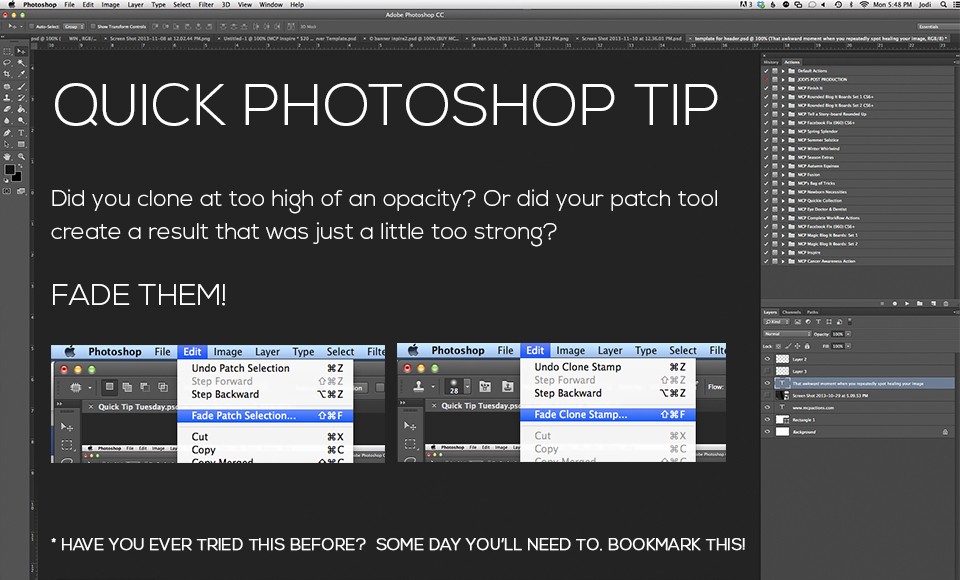
Opacity is certainly your friend. When using actions in Photoshop or Elements, make sure to adjust the opacity of each layer if needed. But what if you are doing manual edits like the patch tool or cloning? If you work on duplicate layers you can adjust the opacity of the entire layer. Another great way to control things is to “fade” them. Go under EDIT – FADE (and look for what you did as your last step). Take full control of your editing.
Posted in Photoshop Actions, Photoshop Tips





