
Featured Products

How to Create and Edit a Magical Scene Picture
I don’t know about you, but I am a big kid at heart, and I firmly believe in Magic! You want proof? This is what I captured the other day… A girl reading a magic book in a magic forest.

Although my inner child would have loved to capture the image in camera, I had to tweak the reality to get to this.
Here’s how I turned this more simple image into an extraordinary, magical one.
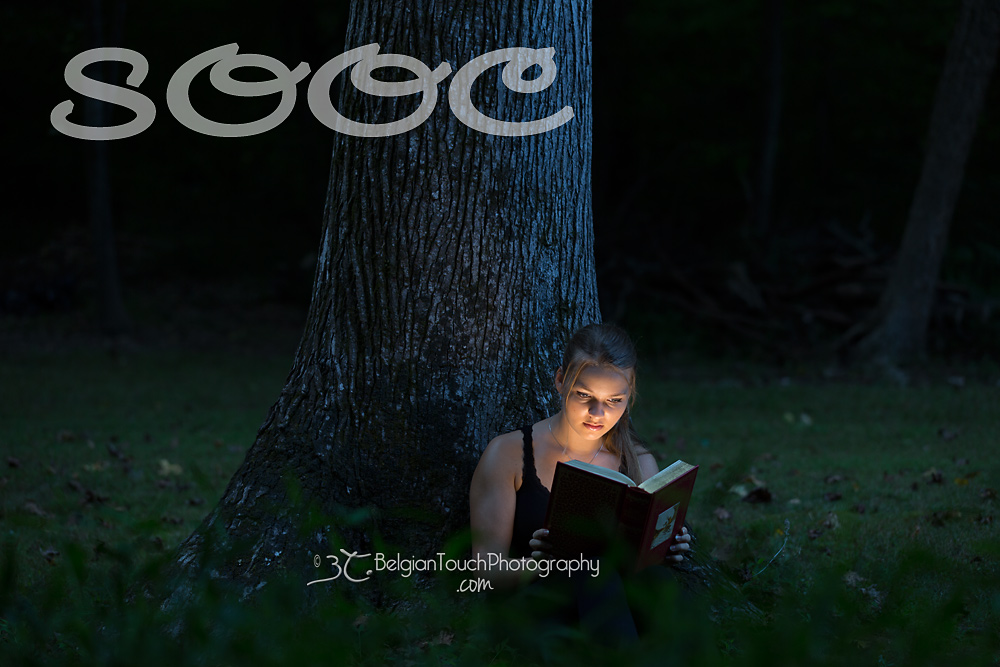
1. In Camera: It was late afternoon, but not dark yet. I sat my beautiful daughter against an old tree with a fairy tale book in her hands. Behind the book, I placed an LED light beaming towards her face. As the light was fairly bright, I was able to manually tweak my settings so that the surroundings appeared darker. When I first imported the picture to Lightroom, this was my picture:
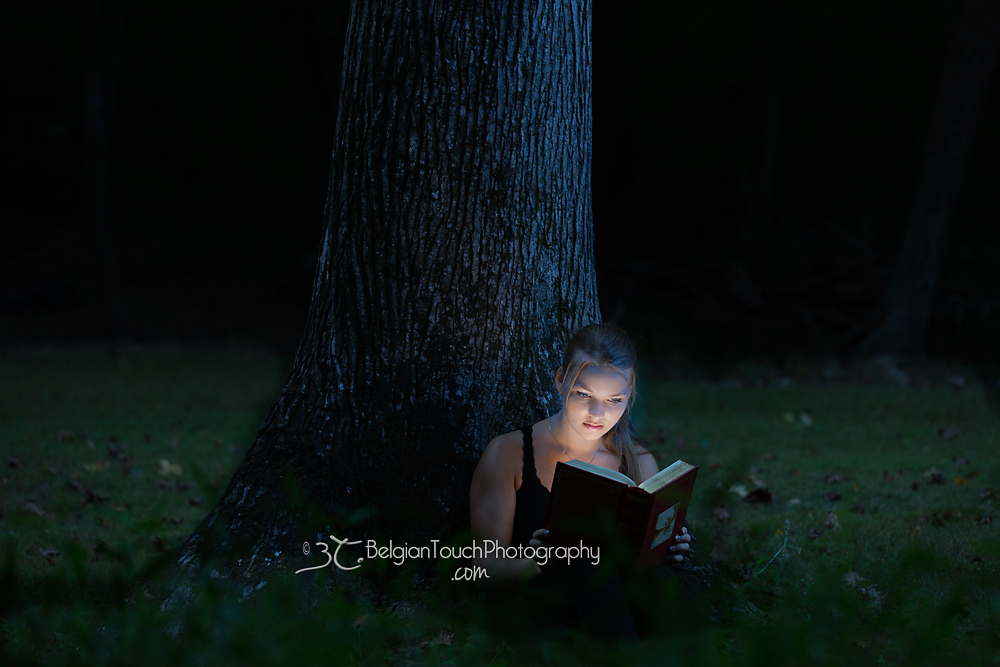
2. Fixing the Color in Lightroom: Since my LED light was warm, I cooled down the light on her face by using the Lightroom brush and adjusting the slider to more blue. I also softened her features by brushing some negative clarity, decreased shadows and contrast. I then moved the picture to Photoshop and further softened her face and slightly brighten her eyes.
3. Now for the Creativity and Magic!
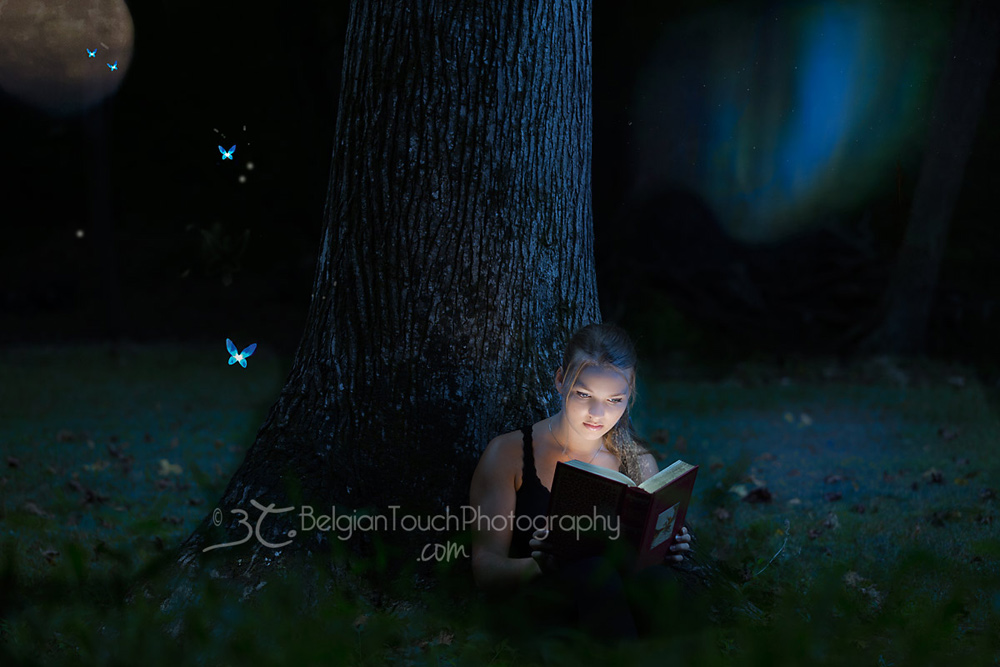
First Step: This is when my imagination took over. I needed lights, I needed fairies and full moon! For the next steps, remember to use pictures that belong to you or that you have consent to use. In this case, I added some Northern light on the right of the tree. Once placed where I wanted it, I used the black mask and a low opacity brush to reveal exactly the part I wanted.
Second Step: With the help of the color changer action in the MCP Inspire Photoshop action set, I decided to add some blue to the Northern lights (I love blue!). To make it more realistic (how realistic is magic? lol) I added a blue reflection on the grass with the help of the Denim and Pearls and Modern Matte actions from Inspire.
Third Step: I then added the full moon to the left of the tree, applying the same technique as for the Northern lights.
Fourth Step: As for the magical fairies, after applying the first one, I duplicated it, moved it where I wanted, changed its size and orientation so it seemed as if they were flying toward the moon. I used a new layer of my image set on screen (with the black mask) to add some light here and there and a soft brush of off white to create some glowing dots. I used the same process (set on multiply) to darken a few parts of the image.
Last Step: I used the brushed metal gold on the sides of the book and image of the book. This is the final image, I hope you enjoyed the post and that you are ready for some magic of your own!
Sophie De Backer is the proud owner of Belgian Touch Photography. She is a passioned photographer, wife and mother. You can discover her work on her website Belgian Touch Photography and/or connect with her on Facebook page.

Recent Posts



